Why Your Instagram Account Looks Dead (It's Being Ignored, Not Broken)
If you're wondering why your Instagram account looks dead, the answer is simpler than you think: the algorithm has stopped distributing your content — not because it is punishing you, but because it has no reason to prioritize you. Low engagement velocity, unclear niche signals, and a mismatch between your audience and your content type all tell Instagram one thing: skip this account.
The problem is bigger than any single profile. Instagram engagement dropped 79% from January 2024 to January 2026, according to industry tracking by Buffer and MediaMister. Creators who were once getting steady reach now see posts flatline within minutes. The platform rewards accounts that generate fast, measurable interaction — and quietly ignores accounts that don't.
Key stat: Instagram engagement fell 79% between January 2024 and January 2026 — the steepest industry-wide decline since the platform shifted to algorithmic feeds.
In our 13+ years in the social media growth space, we've watched engagement patterns shift dramatically — but 2025–2026 brought the steepest drop we've ever tracked across client accounts. The cause isn't a single algorithm change. It's a combination of three forces working together: perception signals that tell visitors your profile isn't worth their time, algorithm opacity that hides why your reach dropped, and an engagement velocity threshold that most small accounts can't meet organically. Understanding these forces is the first step toward fixing them.
What Does a Dead Instagram Profile Actually Look Like?
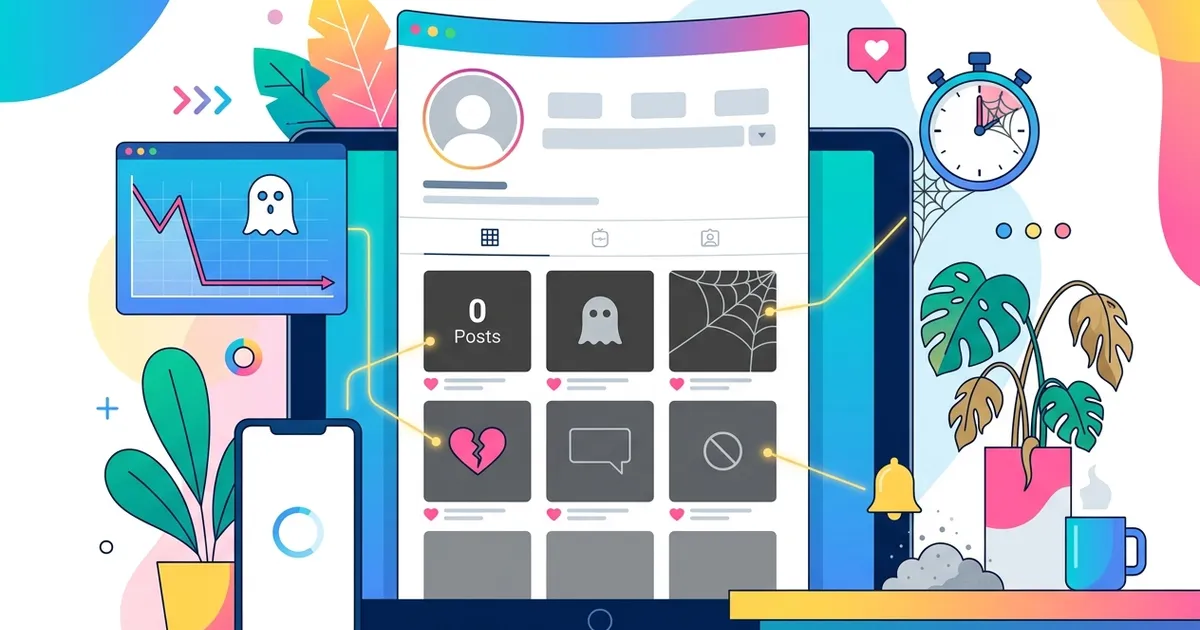
Understanding why your Instagram account looks dead starts with seeing your profile through a visitor's eyes. A dead Instagram profile isn't one that stopped posting — it's one where visible engagement has collapsed below the threshold where new visitors take it seriously. The signs are specific and measurable, and they shape a visitor's decision within seconds.
Here's what triggers the "dead account" perception:
- Like counts below 1% of followers — a profile with 5,000 followers and 15 likes per post signals abandonment
- Zero or near-zero comments — the most visible engagement signal on Instagram, and the first thing visitors scan for
- Posting gaps longer than 7 days — irregular activity creates a visual pattern of inactivity across your grid
- No Stories highlights or recent activity — an empty Stories ring tells visitors you're not actively using the platform
- Stale bio and missing link-in-bio — outdated profile elements reinforce the impression that nobody is managing the account
The critical gap most creators miss is the difference between what they experience and what a first-time visitor sees. You know the effort behind each post. A visitor sees only the numbers.
| What the creator knows | What the visitor sees |
|---|---|
| Posting consistently | Grid with low engagement |
| High-quality content | No comments, few likes |
| Hours of effort per post | An account that looks abandoned |
| Waiting for organic growth | A reason to scroll past |

Social proof research consistently shows that users make engagement decisions within 3–5 seconds of landing on a profile. Accounts with visible engagement — even modest numbers that match the follower count — convert profile visits to follows at significantly higher rates. The numbers don't need to be huge. They need to look proportional and active.
Quick test: Open your profile in a private browser. Spend exactly 3 seconds looking at it. If the first thing you notice is silence — low likes, no comments, no Stories — that's what every new visitor experiences. Some creators choose to hide their likes on Instagram while rebuilding, but the better long-term fix is generating real engagement that matches your follower count.
Why Is My Instagram Account Dead? 7 Real Causes in 2026
If you've been asking yourself why your Instagram account looks dead, the answer usually comes down to a few fixable problems. Most dead Instagram accounts share the same set of underlying issues. The algorithm isn't broken — your account is sending the wrong signals. Here are the seven most common causes we see in 2026, ranked by how frequently they appear across underperforming accounts.
1. Instagram Posting Inconsistency
Gaps longer than 7 days trigger a measurable drop in how Instagram distributes your content. The algorithm interprets inactivity as a signal that your account isn't worth surfacing. Posting 3–5 times per week keeps your account in the distribution pool. Anything less, and you're starting from near-zero reach with every new post.
2. Instagram Content Type Mismatch
Instagram in 2026 heavily favors short-form video. Reels generate roughly 75% more engagement than static images and 59% more than carousels. If your feed is mostly single images, you're competing for a fraction of the available reach.
3. Instagram Audience Mismatch from Past Organic Growth
This is the ghost follower problem — and it almost always comes from organic tactics, not purchased engagement. Giveaways, viral trends, and follow-unfollow strategies attract followers who have zero interest in your actual niche. These followers don't engage, and their inactivity drags your engagement rate below the threshold where Instagram bothers showing your posts to anyone.
The real source of ghost followers: Giveaway campaigns routinely attract thousands of followers who only wanted the prize. Once the giveaway ends, those followers stay on your list but never interact again. This dilutes your engagement rate far more than any other growth tactic.
4. No Engagement Velocity in the First 30 Minutes
Instagram's algorithm evaluates how quickly a post gains traction after publishing. The first 30 minutes are the critical window — posts that generate likes, comments, saves, and shares during this period get pushed to a wider audience. Posts that sit idle get buried. This is the cold-start problem that makes organic-only growth so difficult for smaller accounts.
5. Instagram Hashtag and Niche Confusion
When your content spans too many unrelated topics, Instagram can't classify your account into a niche. The algorithm distributes content to audiences based on topic signals — if those signals are scattered, your posts reach nobody's target feed. Consistent hashtag strategy within 2–3 related topic clusters helps the algorithm understand who should see your content.
6. Instagram Profile Optimization Gaps
An incomplete profile works against you before visitors even see your content. Missing elements — a vague bio, no link-in-bio, empty Stories highlights, an unclear profile photo — signal that nobody is actively managing the account. These gaps compound the dead-account perception.
7. Account Age and Dormancy Period
Returning to Instagram after weeks or months of inactivity is harder than starting fresh. The algorithm deprioritizes dormant accounts because it has no recent engagement data to work with. Recovery is possible, but it requires a deliberate reactivation strategy rather than simply resuming old posting habits.
Most accounts don't suffer from just one of these causes — they deal with three or four simultaneously. The fix isn't picking one issue to solve. It's understanding how these factors reinforce each other and addressing them as a system.
How Does the Instagram Algorithm Read Your Account in 2026?
A major reason why your Instagram account looks dead is that the algorithm does not punish low-engagement accounts — it ignores them. When your account lacks clear engagement signals, the algorithm has no data to work with, so it simply stops distributing your content to new audiences. Understanding this distinction changes how you approach recovery.
In 2026, Meta shifted Instagram's primary content metric from reach to views. This means the algorithm now tracks how many people actually watch your content rather than how many feeds it appears in. For accounts that already struggle with engagement, this shift makes early interaction signals even more critical — content that gets skipped counts against you more visibly than before.
What the Instagram Algorithm Prioritizes
Instagram distributes content based on a hierarchy of signals, weighted differently depending on format:
- Engagement velocity: Likes, comments, saves, and shares in the first 30 minutes determine whether your post gets shown to a wider audience
- Saves and shares over likes: Since 2025, Instagram weights saves and shares more heavily than likes — they signal deeper interest
- Reels-first distribution: Reels consistently receive broader algorithmic distribution than static images or carousels
- Niche clarity: Accounts that post consistently within a recognizable topic get classified faster, which improves distribution accuracy
- Originality signal: Instagram in 2026 rewards originality and clarity — if your content looks like something people have already seen, it gets ignored (Thinkster, 2026)
We've found that creators who switch from image-only to a Reels-first strategy typically see engagement recovery within 3–4 weeks — even on accounts that appeared completely dead.
Key Insight: The algorithm isn't a gatekeeper deciding your content is bad. It's a sorting system that needs engagement data to know who to show your posts to. No engagement data = no distribution. This is why accounts with zero interaction stay invisible regardless of content quality.
The practical takeaway is straightforward: if your analytics show declining reach and stagnant views, the problem usually starts with engagement velocity — not content quality. You can verify this yourself through Instagram Insights by comparing reach-per-post against your engagement rate over the last 30 days. For a deeper look at how Instagram's metric system translates into creator revenue, see our guide on how much Instagram pays for views. The accounts that recover fastest are those that combine a solid Instagram marketing strategy with enough initial engagement to give the algorithm something to distribute.
Is Your Instagram Account Shadow-Banned or Restricted?
A shadow ban is a temporary, unofficial suppression of your content — Instagram hides your posts from hashtag feeds and Explore without notifying you. Shadow bans typically last 14-30 days and resolve automatically once the triggering behavior stops. But here is the key distinction: a shadow ban is a temporary technical restriction, while a dead-looking account is a long-term perception and strategy problem.
Before assuming your account is shadow-banned, check for these specific signs:
- Posts no longer appear under hashtags (search a niche hashtag you used — if your post is missing, possible shadow ban)
- Sudden, sharp reach drop within 24-48 hours (not a gradual decline over weeks)
- Content removed or flagged notifications in your Instagram activity log
- Action blocks on liking, commenting, or following (usually with a specific error message)
- Story views dropped to near zero from accounts that don't follow you
What Causes an Instagram Shadow Ban
Instagram restricts accounts that trigger its automated spam detection systems. Common causes include:
- Automated activity: Third-party bots for auto-liking, auto-following, or mass commenting
- Repetitive behavior: Posting the same hashtags repeatedly, sending identical DMs, or following/unfollowing in rapid cycles
- Reported content: Multiple user reports on your posts or profile
- TOS violations: Content that violates community guidelines, even unintentionally
Warning: If you receive an actual action block or content removal notice, that is a confirmed restriction — not a suspected shadow ban. Stop all automated activity immediately and avoid any actions Instagram could flag as spam for at least 48 hours.
The self-diagnosis test is simple: post using a niche hashtag with low competition, then check from a different account (or logged out) whether your post appears under that hashtag within an hour. If it does not, you are likely shadow-banned. If it does appear but engagement is still low, your problem is perception and strategy — not a technical restriction. Most accounts that feel "dead" fall into the second category.
How to Revive a Dead Instagram Account: Step-by-Step Plan
Now that you understand why your Instagram account looks dead, here's how to fix it. Reviving a dead Instagram account requires a systematic approach across eight areas — not just posting more. Most accounts show measurable improvement within 30-60 days when following this plan consistently. Here is the complete revival roadmap for 2026.
1. Audit Your Account
Open Instagram Insights and review the last 30 days: reach per post, engagement rate, and which content types performed best. Identify ghost followers — accounts that followed you during past giveaways, viral trends, or follow-unfollow cycles but never engage with your content. These inflate your follower count while dragging down your engagement rate, making your profile look less active to both visitors and the algorithm.
2. Optimize Your Instagram Profile
Your profile is the landing page for every new visitor. Update your bio with a clear value statement and relevant keywords. Use a consistent, high-quality profile photo. Add Story Highlights that showcase your best content categories. Set up a link-in-bio tool. If you haven't already, consider switching to a business account — it unlocks analytics and contact features that make your profile look more professional and established.
3. Switch to an Instagram Reels-First Strategy
Reels receive significantly broader algorithmic distribution than static images or carousels in 2026. Aim for 3-5 Reels per week during the first month of your revival. Keep them between 15-60 seconds, use trending audio when it fits your niche, and include text overlays for accessibility. The algorithm prioritizes Reels in both the Explore page and the Reels tab, giving dead accounts the widest possible distribution window.
4. Apply the 5-3-1 Engagement Rule
The 5-3-1 rule is a structured daily engagement strategy: for every 5 posts you meaningfully engage with in your niche, leave thoughtful comments on 3, and follow 1 new account. This builds genuine community connections and signals to the algorithm that your account is actively participating — not just broadcasting.
Pro Tip: Spend 15-20 minutes on 5-3-1 engagement before and after each post you publish. The algorithm reads your account's overall activity level, not just your content output. Consistent engagement in the first 30 minutes after posting directly boosts your content's initial velocity.
5. Post at Peak Instagram Engagement Times
Check Instagram Insights under Audience → Most Active Times. Post when your specific followers are online — generic "best times to post" advice rarely matches your actual audience. If your account is too new or dormant to have reliable analytics, start with Tuesday-Thursday between 10 AM and 1 PM in your target audience's timezone and adjust based on results.
6. Normalize Your Instagram Engagement Signals
This is where most revival plans stall. You can produce great content, post consistently, and engage with your niche — but if your profile still shows single-digit likes and zero comments, new visitors see an inactive account and scroll past. The cold-start problem means great content gets zero reach without initial social proof.
Jumpstarting your visibility with real Instagram followers and Instagram comments gives your profile the engagement baseline that breaks the perception loop. When visitors land on a profile with visible interaction, they engage naturally — and that organic engagement gives the algorithm the velocity signals it needs to start distributing your content further.
7. Stay Consistent for 30 Days Minimum
The algorithm needs consistent signals over time to re-evaluate your account. A two-week burst followed by a gap resets the process. Commit to a 30-day minimum: regular posting schedule, daily 5-3-1 engagement, and active Story usage. Most accounts that follow a structured Instagram marketing strategy see their first meaningful reach increase between weeks 3 and 4.
8. Track Your Instagram Account and Adjust Weekly
Every week, review three numbers in Instagram Insights: engagement rate per post, average reach per post, and follower growth rate. If engagement rate is climbing but reach is flat, your content resonates with existing followers but isn't reaching new ones — increase Reels output. If reach is growing but engagement rate drops, you're attracting the wrong audience — tighten your niche focus and hashtag strategy.
Does Instagram Delete Inactive Accounts?
Instagram does not automatically delete accounts that go inactive. Meta reserves the right to reclaim usernames from dormant accounts, but it has never publicly confirmed a mass removal of inactive profiles or specified a timeline for when deletion might occur.
This distinction matters because "inactive" and "dead" describe very different situations. An inactive account has no login activity, no posts, and no engagement for an extended period. A dead-looking account, on the other hand, is often still active — the creator is posting, but visible engagement is so low that the profile appears abandoned to visitors.
In practice, accounts are far more likely to be disabled for policy violations than for simple inactivity. Instagram's enforcement focuses on Terms of Service breaches — spam behavior, impersonation, or repeated community guideline strikes — rather than quiet accounts.
Inactive vs. Dead vs. Deactivated
| Status | What It Means | Recoverable? |
|---|---|---|
| Inactive | No login or posting activity for months | Yes — log in anytime to reactivate |
| Dead-looking | Active posting but near-zero engagement | Yes — fix engagement signals and strategy |
| Deactivated | Owner voluntarily disabled the account | Yes — within 30 days via login |
| Deleted | Owner permanently deleted or Instagram removed | No — data is erased after 30-day grace period |
If you are considering deactivation or want to understand the recovery process, our guide on how to delete or deactivate your Instagram account covers every step and timeline in detail.
Instagram's username policy in 2026: Meta may reclaim usernames from long-inactive accounts to prevent squatting, but this process is not user-facing. You cannot request or claim a specific username from another account through any official form.
Can You Report an Inactive Instagram Account?
Yes, but the process is limited. Instagram allows users to report accounts for impersonation, spam, or community guideline violations — not simply for being inactive. There is no "report as inactive" option. If an account is impersonating a real person or brand, you can submit a report through Instagram's Help Center, which may lead to the account being reviewed and potentially removed.
For most creators, the real concern is not whether Instagram will delete their account, but whether their profile has already crossed the line from "quiet" to "appearing abandoned." That perception gap — not a deletion risk — is what costs followers and engagement opportunities.
Why Does Low Engagement Create a Self-Reinforcing Loop?
The deeper reason why your Instagram account looks dead often comes down to a self-reinforcing cycle. Low engagement is not just a metric problem — it is a compounding perception problem that gets harder to escape the longer it persists. Social proof research consistently shows that people make engagement decisions within seconds of landing on a profile, and visible numbers drive those decisions far more than content quality.
Here is how the loop works in practice:
- Your posts receive few likes and comments — the algorithm reads weak engagement velocity and limits distribution
- New visitors land on your profile — they see low numbers and perceive the account as inactive
- Visitors skip engaging — even if your content is strong, the social proof signals discourage interaction
- Engagement stays flat — reinforcing the same perception for the next visitor
- The cycle repeats — each round makes the pattern harder to break organically
This feedback loop explains why so many creators feel stuck despite improving their content, posting more consistently, and following best practices. The effort is real, but the perception layer was already set before the improvements began.
Why Organic Instagram Effort Alone Struggles to Break the Loop
The cold-start problem is at the core of this cycle. New and recovering accounts face a paradox: the algorithm needs engagement signals to distribute your content, but you need distribution to generate engagement in the first place. Posting three Reels a week and applying the 5-3-1 rule are essential long-term strategies, but they operate on a timeline of weeks and months — while perception is formed in seconds.
Accounts with visible engagement convert profile visits to follows at significantly higher rates. When people see likes, comments, and active followers, they interpret the profile as worth their attention. When those signals are absent, even exceptional content gets scrolled past.
Breaking the loop practically: The most effective way to escape the cold-start cycle is to normalize your engagement signals — bring your visible likes, comments, and follower counts to a level that matches your content quality. This gives the algorithm the velocity signals it needs to start distributing your posts, and it gives new visitors the social proof they need to stop and engage. Services like Instagram likes help creators bridge this gap so organic growth has a fair starting point.
The goal is not to replace organic growth — it is to give organic growth a chance to work. Once the perception layer shifts and the algorithm begins distributing your content to broader audiences, genuine engagement compounds naturally. The loop reverses: more visibility leads to more engagement, which leads to more distribution, which attracts more followers.
For creators and brands stuck in the dead-profile cycle, normalizing engagement signals is the practical first step that makes every other strategy — Reels, hashtags, posting consistency — actually effective.