The Quick Answer: Can You See Who Unsent a Message on Instagram?
No, you cannot see who unsent a message on Instagram. Instagram does not send any notification, log, or indicator when a message is unsent. The feature is designed around sender privacy — once someone unsends a DM, the message vanishes from both sides of the conversation with zero trace in the app. This has been Instagram's consistent behavior since Meta's 2023 notification update, and nothing has changed as of March 2026.
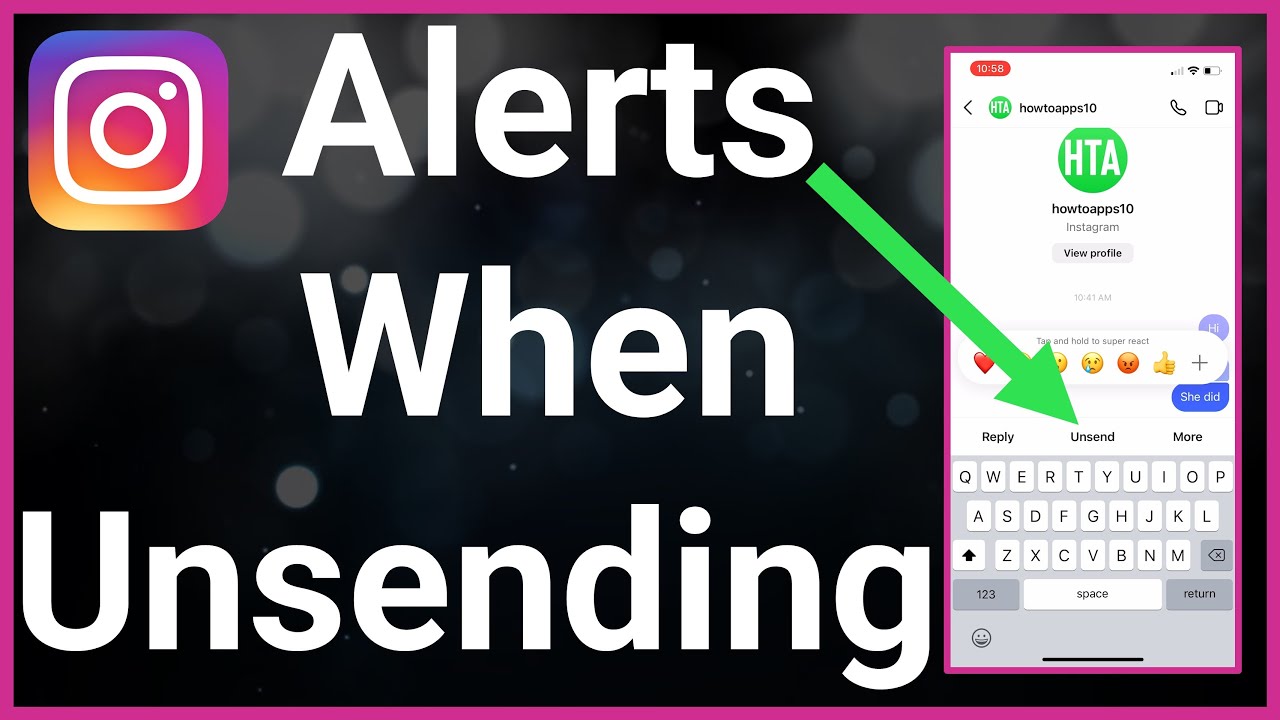
In a one-on-one chat, the sender's identity is obvious by context. In group chats, however, the unsend action is completely anonymous — no participant can determine who retracted the message. According to Instagram's Help Center, unsending removes the message for everyone with no attribution.
The only partial workaround exists on Android. The built-in Notification History feature retains all notification previews for up to 24 hours, meaning a text-only snippet of the unsent message may still be accessible in your device settings. iPhone users have no equivalent — iOS retracts DM previews in real time.
In our experience testing Instagram DM behavior across dozens of accounts, the unsend action has remained completely invisible to recipients since Meta's 2023 update. No third-party app changes this reality, and any service claiming otherwise is misleading.
The Bottom Line on Instagram's Unsend Feature
Can you see who unsent a message on Instagram? No — and that is by design. Instagram designed the unsend feature to be sender-controlled with no audit trail for recipients, making privacy the default for all DM interactions in 2026.
Five points worth remembering: unsend removes messages for everyone (not just you), Android's Notification History preserves previews longer than iPhone, Vanish Mode offers stronger automatic privacy than manual unsending, no third-party app can legitimately recover unsent content, and business accounts have no special logging — proactive record-keeping is essential. So the next time someone asks "can you see who unsent a message on Instagram?" — the short answer remains a clear no.
Instagram's approach to message control continues to evolve alongside Meta's broader encryption and privacy initiatives. As the platform refines its messaging features, the core principle remains unchanged — the sender decides what stays and what goes.
Explore more Instagram guides on FiveBBC. From privacy features to growth strategies, our blog covers everything you need to navigate Instagram effectively. Browse Instagram guides.
How Does Instagram's Unsend Feature Work in 2026?
Instagram's unsend feature removes a message from both sides of a conversation permanently — no placeholder, no "this message was deleted" label. The process works identically across text, photos, voice notes, shared reels, and stickers.
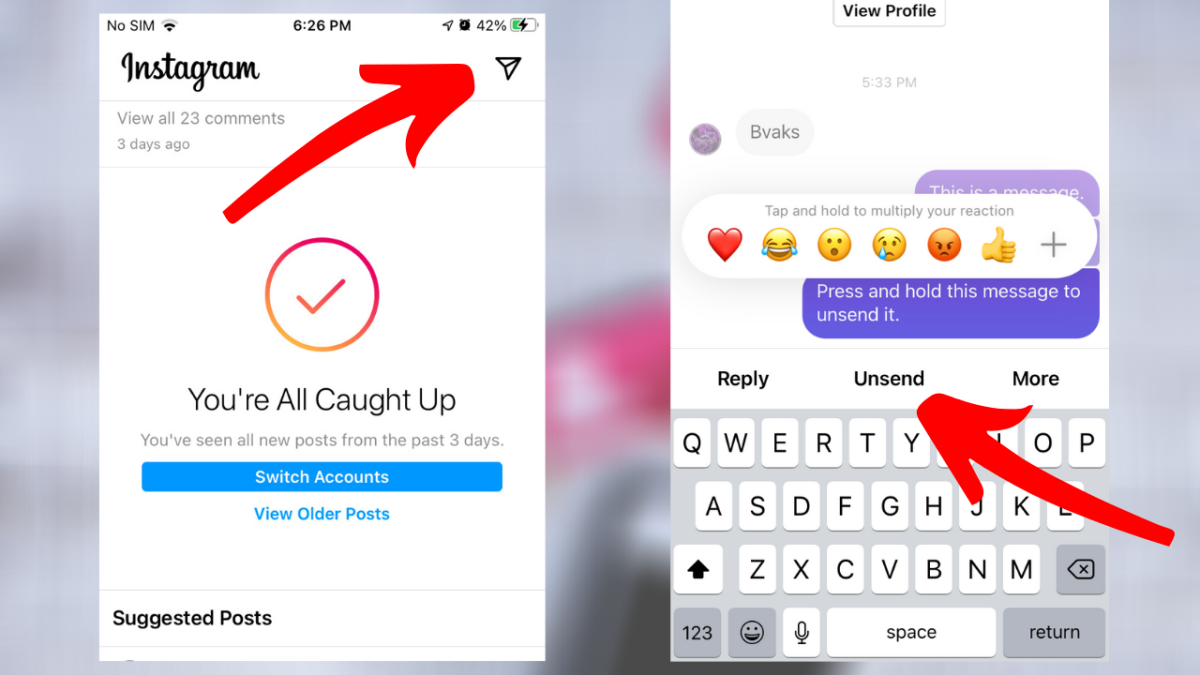
Here is how to unsend a message on Instagram:
- Open the chat containing the message you want to remove.
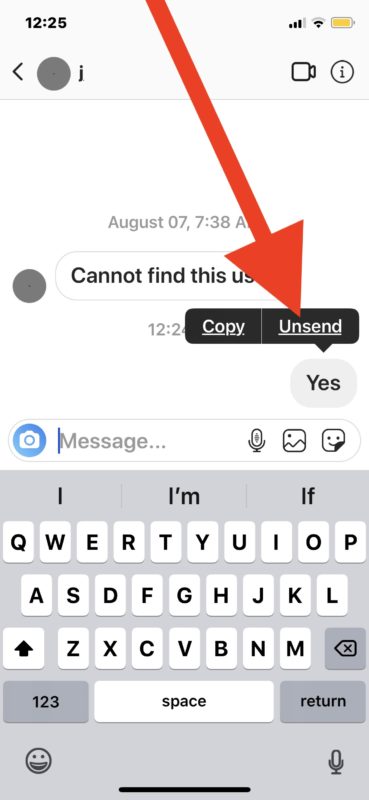
- Long-press (tap and hold) the specific message bubble.
- Tap Unsend from the context menu.
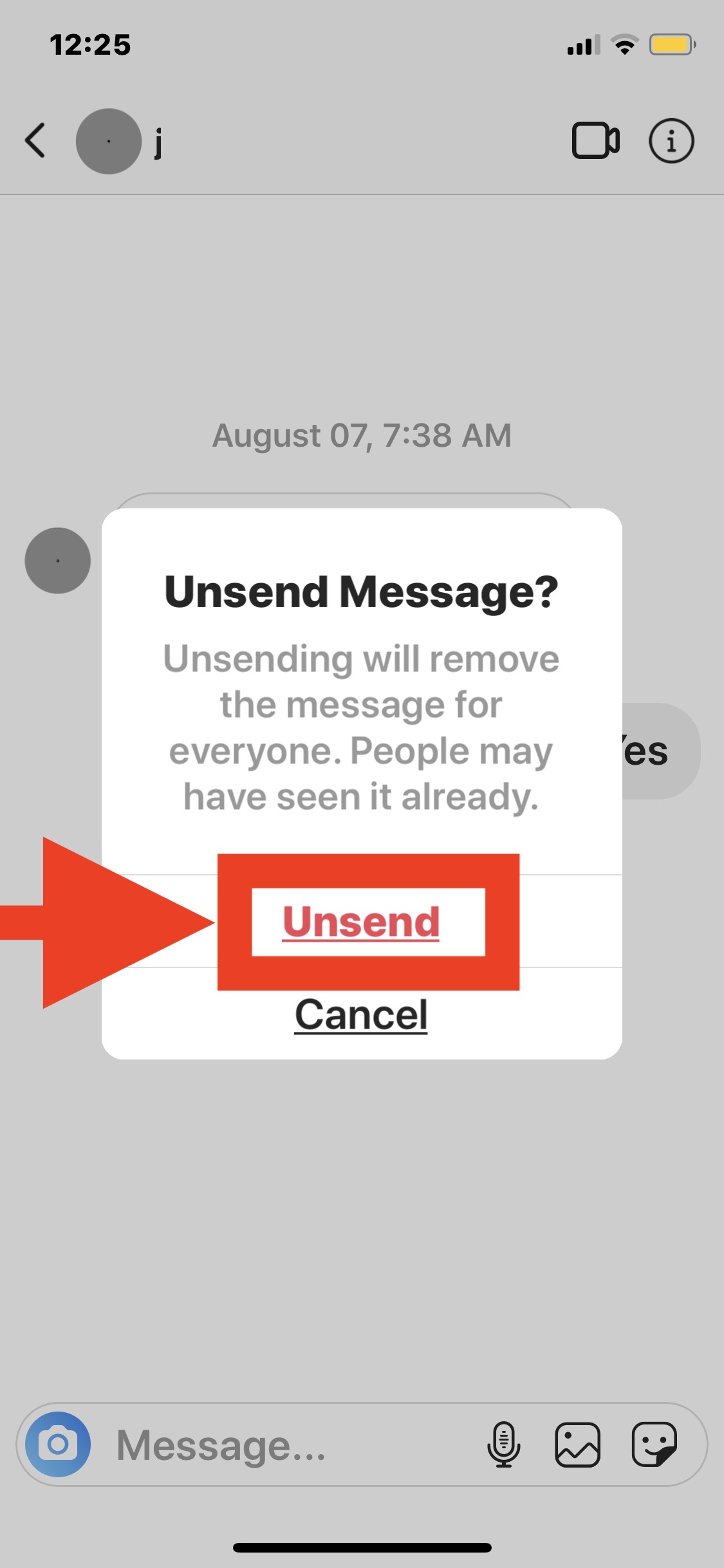
- Confirm the action when Instagram asks "Unsend Message?"
The removal is instant and irreversible. Both you and the recipient lose access to the message content the moment you confirm.
Unsend vs Delete: A Critical Distinction
These two options appear in the same context menu but do very different things. Unsend removes a message for everyone in the conversation. Delete only removes it from your own view — the other person still sees the original message. If you want to fully retract something you sent, unsend is the correct choice.
According to Mashable, Instagram removes message content from its servers immediately upon unsend. Encrypted metadata may persist briefly for Meta's moderation systems, but the actual text or media becomes inaccessible to both users. This stands in contrast to WhatsApp, which displays a visible "this message was deleted" placeholder — Instagram leaves no trace at all.
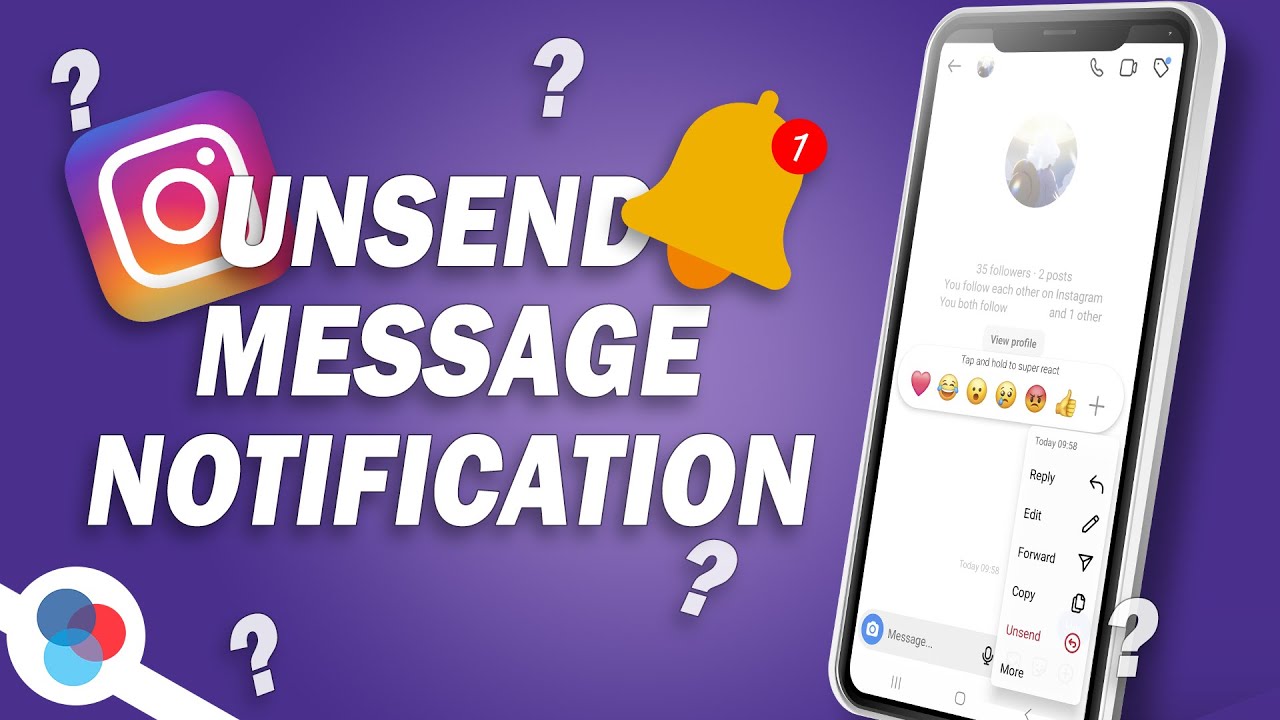
In group chats, the behavior is identical. The message vanishes for all participants without any notification or placeholder text. If you are new to navigating Instagram's messaging features, the key takeaway is simple: unsend erases, delete hides.
Does Instagram Notify When You Unsend a Message?
So can you see who unsent a message on Instagram through a notification? No — Instagram does not send a push notification or in-app alert when you unsend a message. The recipient never receives a message saying "someone unsent a DM." However, notification previews that arrived before the unsend can linger on the recipient's device, and this behavior varies significantly by platform.
What Happens on Android When You Unsend a Message?
Android push notifications persist in the notification shade until the user manually dismisses them. If a DM notification arrived before the sender tapped Unsend, that preview text may still be visible. Even more useful: Android's built-in Notification History records all notifications for the past 24 hours.
To access it, go to Settings > Notifications > Advanced > Notification History. According to the Android Blog, this feature retains all notification previews for exactly 24 hours, including ones from messages that were later unsent. This is the closest thing to seeing how to see unsent messages on Instagram android — a partial, text-only preview stored on your device.
How Does iPhone Handle Unsent Instagram Messages?
Apple handles notification retraction differently from Android. When Instagram signals that a message was unsent, iOS removes the preview from the lock screen in real time. According to Apple Support, the system retracts notifications almost instantly. This means there is no reliable way to see unsent messages on Instagram on iphone through the notification system.
One edge case: if you have Focus Mode or Notification Summary enabled, cached snippets may briefly survive in the summary queue before the system clears them. This window is short — typically seconds, not minutes.
Does Desktop Instagram Show Unsent Message Alerts?
Instagram's web app rarely pushes real-time DM notifications. When it does, the notification lives only in the browser tab. Once a message is unsent, it vanishes from the desktop interface with no residual trace.
| Platform | Preview Persists? | Notification History | Auto-Retraction |
|---|---|---|---|
| Android | Yes, until dismissed | Available (24h log) | No |
| iPhone | Briefly | Not available | Yes, real-time |
| Desktop | No | No | Yes |
Do not rely on third-party notification loggers. Some Android apps promise to record all incoming notifications, including unsent Instagram messages. These tools require invasive permissions, may violate Meta's Terms of Service, and can expose your device to malware. The built-in Android Notification History is the only safe option.
When you unsend a message on Instagram, does it notify them? The bottom line: no formal notification exists. But timing matters. If you unsend within a second or two of sending, the recipient may never see anything. Wait longer, and the preview has time to reach their device — especially on Android, where it can persist for a full day.
How Can You Tell If Someone Unsent a Message?
Instagram leaves no official marker when a message is unsent — there is no "this message was deleted" label like WhatsApp uses. Still, several practical clues can reveal that a message was retracted if you know what to look for.
- Ghost notification — you received a push notification with a message preview, but the message is missing from the chat
- Broken reply context — someone's reply references something that no longer exists in the thread
- Conversation gap — the flow of messages has an unnatural jump, especially in group chats
- Typing indicator mismatch — you saw the "typing..." indicator, but no message ever appeared
Can you tell if someone unsent a message through any official Instagram feature? No. But these contextual signals often make it obvious that something was removed, especially during active conversations where you are watching messages arrive in real time.
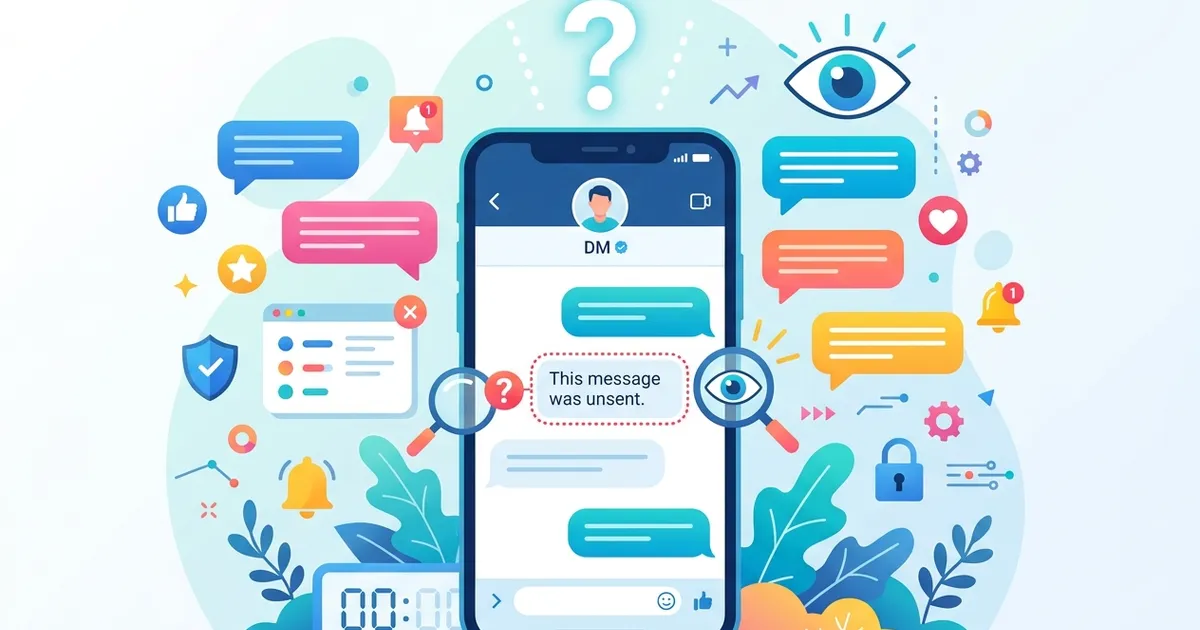
The "no longer available" placeholder: According to wikiHow, the text "This message is no longer available because it was unsent by the sender" occasionally appears when a message is unsent while the recipient has the chat open. This placeholder confirms an unsend happened, but it disappears from the thread within seconds and does not identify who performed the action in group chats.
Timing plays a significant role in detection. Most unsend actions happen within the first 15 seconds of sending, based on observed behavior patterns. The faster someone unsends, the less likely the recipient notices anything at all. After a few minutes, the recipient has probably already read the message — making the unsend a cleanup gesture rather than a true retraction.
One detail worth noting: Instagram's read receipts (the "Seen" indicator) do not disappear when a message is unsent. If the chat showed "Seen" before the unsend, the sender still knows the message was viewed. This asymmetry means unsending a read message removes the content but not the evidence that a conversation took place. For those wondering how to see unsent messages in instagram, the honest answer is that deleted content is gone — only these indirect clues remain.
Can You Recover or View Unsent Instagram Messages?
No, there is no official way to retrieve unsent messages on Instagram. If you are wondering whether you can see who unsent a message on Instagram through a recovery tool, the answer is the same — no such tool exists. Once a message is unsent, Meta permanently deletes the content from both the sender's and recipient's apps, as well as from Instagram's servers. There is no hidden archive, no support ticket process, and no account setting that reverses an unsend action.
Despite this reality, a persistent myth suggests that third-party apps can recover unsent Instagram messages. According to SocialRails, zero third-party applications can reliably access deleted DM data because Instagram's API does not expose it. Every app store listing that promises "unsent message recovery" is either misleading or outright fraudulent.
Here is what actually works and what does not:
- Android Notification History retains text-only previews for up to 24 hours
- Screenshots taken before the unsend remain on your device permanently
- Instagram Data Download does NOT include unsent messages
- Third-party "recovery" apps do NOT work and violate Meta's Terms of Service
- Instagram Support cannot retrieve unsent messages for any user
Security Alert: Apps marketed as "unsent message viewers" or "Instagram message recovery tools" are among the most common vectors for credential harvesting on mobile devices. If an app asks for your Instagram password to "recover" messages, it is a scam. Report it to your app store immediately.
Instagram's Data Download tool (Settings > Your Activity > Download Your Information) exports messages that still exist on the servers at the time of the request. Because unsent messages are purged immediately, they never appear in these exports. The tool is useful for archiving active conversations but offers nothing for recovery purposes.
The only practical workaround remains situational: if you happened to read the notification preview before it was retracted, or if Android's Notification History logged the preview text, you have a partial record. Neither method is reliable or guaranteed — both depend on timing and device settings that vary between users.
How to Check Who Deleted Messages on Instagram?
Instagram does not provide any tool, log, or notification that reveals who deleted messages in a conversation. Neither the "Delete" nor the "Unsend" action generates an identifiable record for other participants — both are designed to be silent operations.
The confusion around this question usually stems from mixing up two distinct actions. Instagram's own documentation confirms that "Delete" and "Unsend" behave very differently:
| Action | Who Loses the Message? | Other Person Still Sees It? | Any Log Created? |
|---|---|---|---|
| Delete | Only you | Yes | No |
| Unsend | Everyone | No | No |
| Vanish Mode | Everyone (auto) | No | No |
When you delete a message, it only disappears from your own inbox. The recipient retains full access to the original message on their end. This is a personal cleanup action that affects nobody else.
When you unsend a message, it vanishes from both sides of the conversation. The recipient loses access entirely, and no placeholder or notification appears in its place.
Group Chat Privacy: In group chats with three or more participants, both delete and unsend actions are completely anonymous. Instagram does not reveal which member performed either action, and no system alert notifies the group.
So how to check who deleted messages on Instagram? The honest answer is that you cannot. Instagram treats message removal as a private, sender-controlled action by design. The platform prioritizes privacy over transparency in its messaging framework, and Meta has shown no indication of changing this approach.
Are Unsent Instagram Messages Gone Forever?
Yes, unsent Instagram messages are permanently deleted in virtually every scenario. Once you tap "Unsend," Instagram removes the message content from Meta's servers, from the sender's app, and from the recipient's app simultaneously. There is no recovery path through Instagram's interface, support team, or data export tools.
According to AirDroid's analysis, the message content itself is irreversibly purged from Meta's infrastructure after an unsend. Encrypted metadata — timestamps, participant IDs, and delivery status — may persist briefly for moderation and abuse-prevention purposes. However, this metadata contains no actual message text or media and is not accessible to users or any third-party service.
The single exception to "gone forever" is Android Notification History. If the recipient's Android device had Notification History enabled and the DM notification arrived before the unsend, the text-only preview remains in the system log for up to 24 hours. This is a device-level cache, not an Instagram feature — and it only captures the first few lines of text messages, not images, voice notes, or video content.
Privacy Reassurance: If you unsent a message and are worried whether it can be recovered — in the vast majority of cases, it cannot. Instagram's deletion is server-side and permanent. The only risk is that the recipient already read the notification preview or took a screenshot before you unsent.
For users asking whether they can recover unsent messages on Instagram through Meta's official channels: no. And for anyone still wondering — can you see who unsent a message on Instagram via data exports? No. Instagram's Data Download tool excludes all unsent content, and the platform's support team does not have the ability to restore purged messages. The deletion is final by design, reflecting Meta's broader commitment to giving senders control over their own message history.
Unsend vs Vanish Mode: What Is the Difference?
Unsend and Vanish Mode both make messages disappear on Instagram, but they work in fundamentally different ways. Unsend is a reactive, per-message action you take after sending something you want to remove. Vanish Mode is a proactive, session-wide setting where every message automatically disappears after being viewed.
We've found that many users confuse these two features — in our guides, we consistently see this as one of the top questions from readers navigating Instagram's privacy settings. Here is how the two features compare based on Instagram's current implementation:
| Feature | Unsend | Vanish Mode |
|---|---|---|
| Action Type | Manual (per message) | Automatic (session-wide) |
| Scope | Single message | Entire chat session |
| Timing | After sending (no time limit) | Messages gone after viewing |
| Notification | None (previews may linger) | Screenshot alert to both users |
| Visual Trace | Possible conversation gap | No trace at all |
| Chat Availability | One-on-one and group chats | One-on-one chats only |
| Best For | Correcting mistakes, removing typos | Private or temporary conversations |
When to Use Unsend
Unsend works best for quick corrections — a typo, a message sent to the wrong person, or an accidental share of sensitive information. You can unsend any message at any time, even days or weeks after sending it. The action is silent, though notification previews may have already reached the recipient's device.
When to Use Vanish Mode
Vanish Mode is designed for conversations that should not persist at all. To activate it, open an existing DM thread and swipe up from the bottom of the chat screen. The interface shifts to a dark theme, and a "Vanish Mode is on" banner appears. Either participant can exit by swiping up again.
Screenshot Detection: Vanish Mode sends an alert to both participants if someone takes a screenshot during an active session. Unsend has zero screenshot behavior on Instagram detection. If protecting against screenshots is a priority, Vanish Mode provides stronger safeguards.
One critical distinction that catches users off guard: Vanish Mode is available only in one-on-one conversations, while unsend works in both direct messages and group chats. For group conversations where you need to retract something, unsend is your only option.
The two features also differ in their digital footprint. Unsending a message can leave subtle clues — a gap in the conversation thread, a broken reply chain, or a lingering notification preview. Vanish Mode leaves no trace at all once the session ends, making it the more thorough option for true privacy.
What Should Business and Creator Accounts Know About Unsending?
Business and creator accounts on Instagram have identical unsend functionality to personal profiles — no special audit trail or admin log exists. Instagram confirms that unsend works the same regardless of account type, which means professionals face a unique risk: critical negotiation details, pricing agreements, and partnership terms can vanish from a DM thread without any record.
The core problem is lost context. When a brand partner unsends a message containing campaign terms or a client retracts a pricing agreement, that information disappears permanently. Unlike email, Instagram maintains no sent-items archive for retracted content. In our experience working with creators managing brand deals, this gap catches people off guard more often than most expect.
Pro Tip: Before replying to an important DM, note key details — pricing, deadlines, deliverables — somewhere outside Instagram. If the other party unsends later, you still have the essentials. Always follow up DM agreements with an email confirmation.
Practical steps to protect your business communications:
- Export conversations regularly: Use Meta Business Suite to download conversation summaries so you maintain a backup of important exchanges
- Use Quick Replies: Standardized response templates help maintain consistency even when messages disappear from the thread
- Confirm terms via email: Any agreement reached over DMs should be restated in an email — a channel that preserves records permanently
- Enable Android Notification History: If your team uses Android devices, this built-in feature captures message previews for 24 hours
For creators exploring Instagram's evolving privacy features, the unsend behavior is part of a broader pattern where Meta prioritizes sender control over recipient transparency. Teams focused on keeping your Instagram account active through DM engagement should factor this into their workflow — proactive record-keeping is not optional for professional accounts.