Privacy · Instagram · 2025 Update
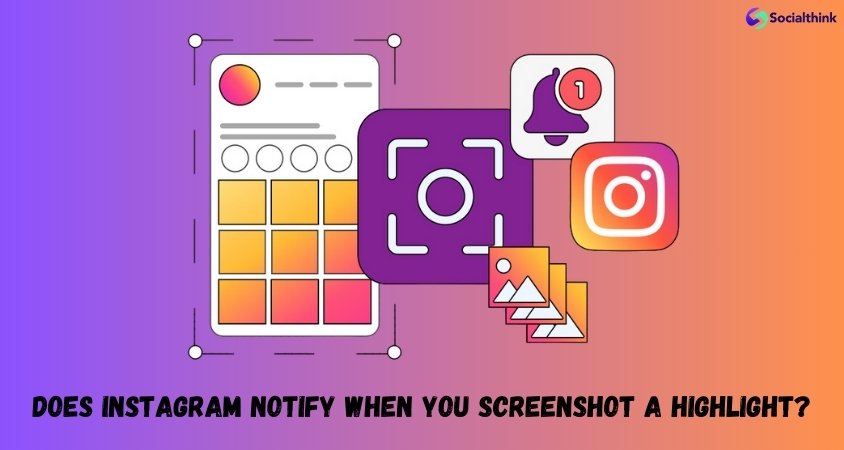
If you’ve ever viewed someone’s Instagram Highlights and thought, “That design is amazing — I need to save it!”, you’ve probably wondered: can people see if you screenshot highlights on Instagram? This is one of the most frequently asked questions every year — especially as Meta continues to update its privacy rules. In this comprehensive 2025 guide, we’ll explain exactly what happens when you screenshot someone’s Highlight, whether Instagram notifies them, and what the privacy implications really are.
Want to grow your Instagram faster? 🚀 Many business bloggers use these smart techniques to get real followers, views, and engagement. Explore our Instagram growth services here >
What Are Instagram Highlights and Why Users Screenshot Them
Instagram Highlights are collections of Stories that users choose to keep permanently visible on their profile. Unlike regular Stories, which vanish after 24 hours, Highlights act like a visual portfolio — a space where people showcase travels, brand work, tutorials, or lifestyle inspiration. Because Highlights are beautifully curated and often full of creative ideas, it’s completely natural that users want to take screenshots for reference or inspiration.
Explainer
Highlights = archived Stories pinned to a profile.
Stories = temporary content, 24-hour lifespan.
Vanish Mode / disappearing messages = private DMs that delete automatically.
Can People See If You Screenshot Highlights on Instagram?
Let’s get straight to the point: no — people cannot see if you screenshot their Highlights. Instagram does not send any kind of notification, alert, or message when a user takes a screenshot of a Highlight, post, Story, or Reel. The only situations where Instagram alerts users about screenshots involve private disappearing photos or videos in DMs, and Vanish Mode conversations.
Quick Answer: Instagram does not notify users when someone screenshots their Highlights — it’s completely private.
Instagram’s screenshot notifications apply to very limited private actions — like disappearing photos or Vanish Mode messages — but never to public content such as Highlights or Stories.
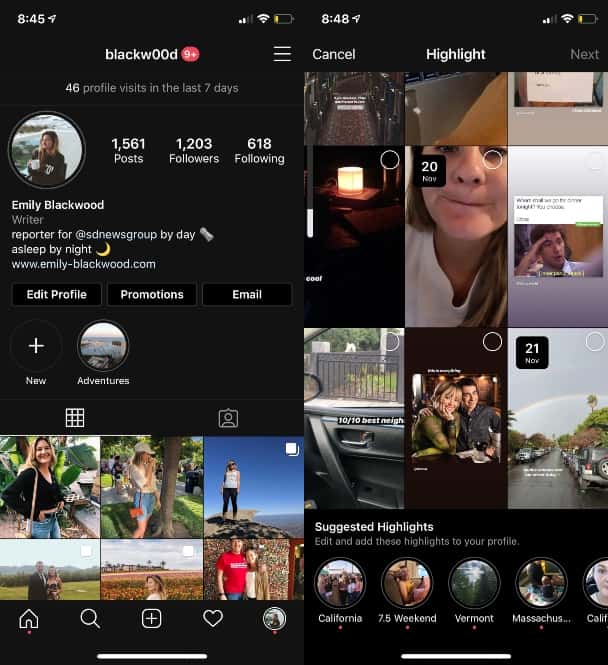
Where Screenshot Notifications Actually Apply
Instagram’s screenshot notifications apply to a very limited set of private actions. Below is a clear breakdown of what triggers alerts versus what doesn’t:
| Content Type | Screenshot Alert? | Notes |
|---|---|---|
| Highlights | ❌ No | Public, permanent content |
| Stories | ❌ No | Instagram removed this feature years ago |
| Posts / Reels | ❌ No | Never alerts |
| Disappearing photos/videos in DMs | ✅ Yes | Sender sees a small “screenshot” icon |
| Vanish Mode chats | ✅ Yes | Private conversation alerts if captured |
Reminder
Screenshot alerts exist only to protect ephemeral privacy — not public visibility. Highlights are public. That’s why there are no notifications or logs.
Why Instagram Doesn’t Notify Screenshots of Highlights
Instagram’s privacy philosophy clearly separates public content (posts, Stories, Highlights) from private messages. Public content is meant for open engagement — people can like, share, or save it. Sending screenshot alerts for these would create unnecessary friction and reduce creativity sharing.
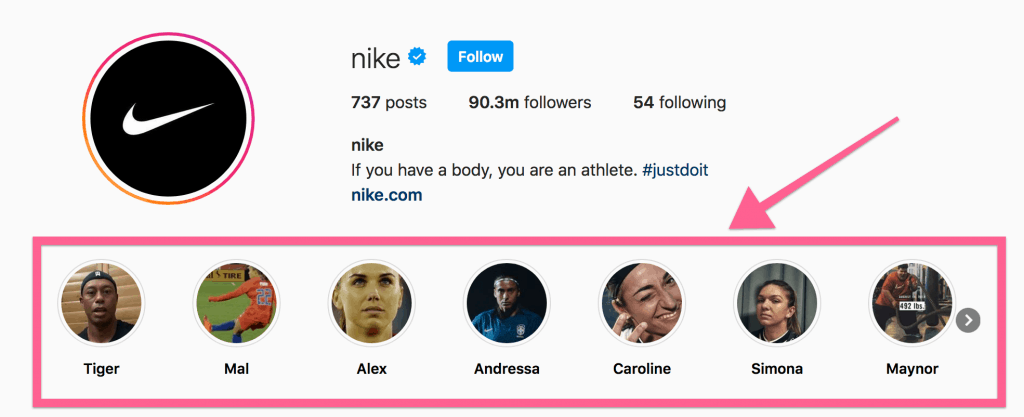
Instagram separates public and private content by design. Public posts, Stories, and Highlights are open for sharing and saving, while private content in DMs follows stricter privacy rules — including screenshot alerts.
The logic is simple: – If you post it publicly, people may see, share, or capture it. – If you send it privately (in DMs or Vanish Mode), privacy expectations are different.
Can You See Who Screenshotted Your Highlights?
No — Instagram doesn’t give creators any analytics about screenshots. You can only see who viewed your Story while it’s live (within 24 hours). Once a Story becomes a Highlight, view data disappears. There’s no “screenshot list” or notification system.
Explainer
When a Story transitions into a Highlight, the analytics reset. The creator can’t view who watches or interacts later — only the content itself remains.
So if you’re wondering “can you see who screenshots your Highlights on Instagram?” — the answer is an absolute no. The system simply doesn’t track that behavior.
Once a Story becomes a Highlight, its analytics reset — you can’t see who viewed or saved it. There’s no screenshot tracking or visibility log, meaning your viewers can capture freely without your knowledge.
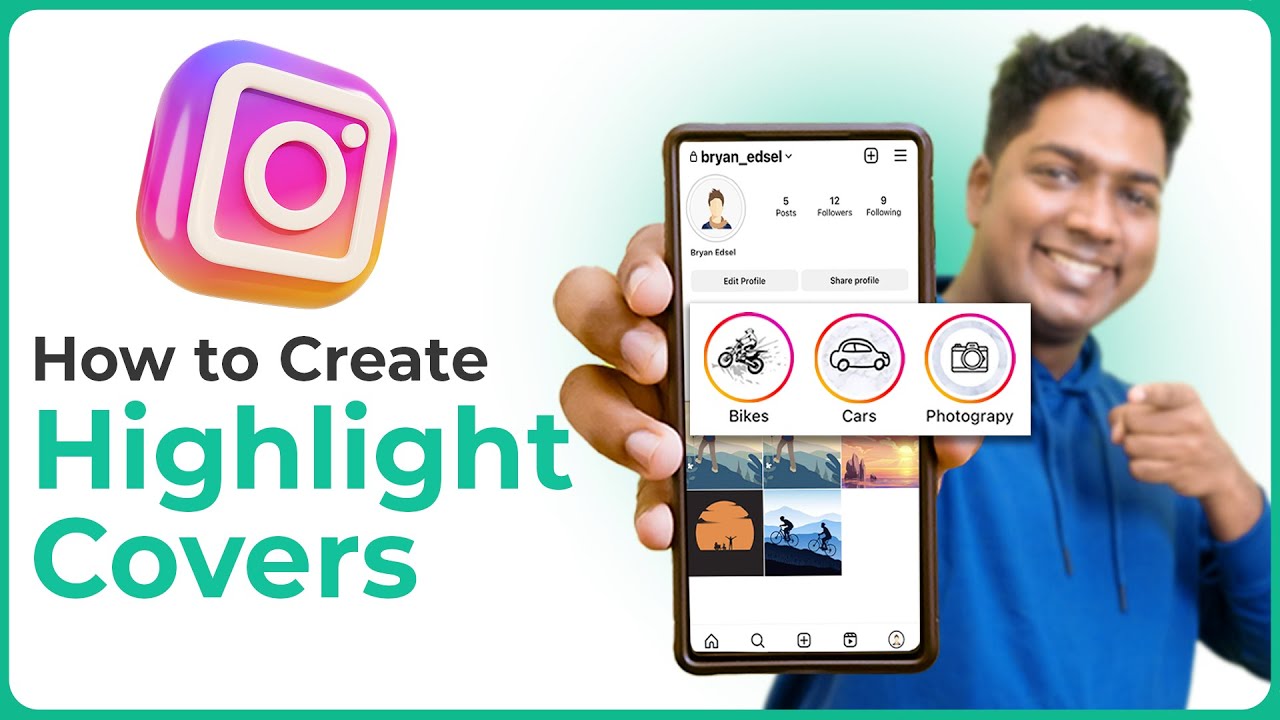
Why Some Users Think Screenshot Alerts Exist
Every few months, posts circulate online claiming that “Instagram now shows who screenshotted your Story or Highlight.” These rumors spread fast, but they’re not accurate. Here’s why people get confused:
- They mix up Instagram with Snapchat — which does notify screenshots.
- They encounter alerts in Vanish Mode and assume it applies to all content.
- They install fake “tracker” apps that mimic notifications.
Meta (Instagram’s parent company) has repeatedly confirmed that screenshot notifications apply only to private, temporary media — not to Stories or Highlights.
Fact Check
Highlights, Stories, posts, and Reels are public — no screenshot alerts exist.
How to Screenshot Highlights on Instagram (Without Them Knowing)
Since Instagram doesn’t notify users when screenshots are taken, you can safely capture Highlights using your phone’s standard tools. Still, here’s how to do it cleanly, without compromising quality — and with proper digital etiquette.
📱 On iPhone
- Open the user’s profile and tap a Highlight.
- When it plays full screen, press Side Button + Volume Up.
- You’ll see the screenshot saved instantly to Photos.
🤖 On Android
- Open Instagram → visit the profile → open a Highlight.
- Press Power + Volume Down simultaneously.
- The image saves directly into your gallery.
Quick Tip
If you’re capturing design inspiration, use your phone’s markup or edit tools to crop out usernames and sensitive info before sharing or saving.
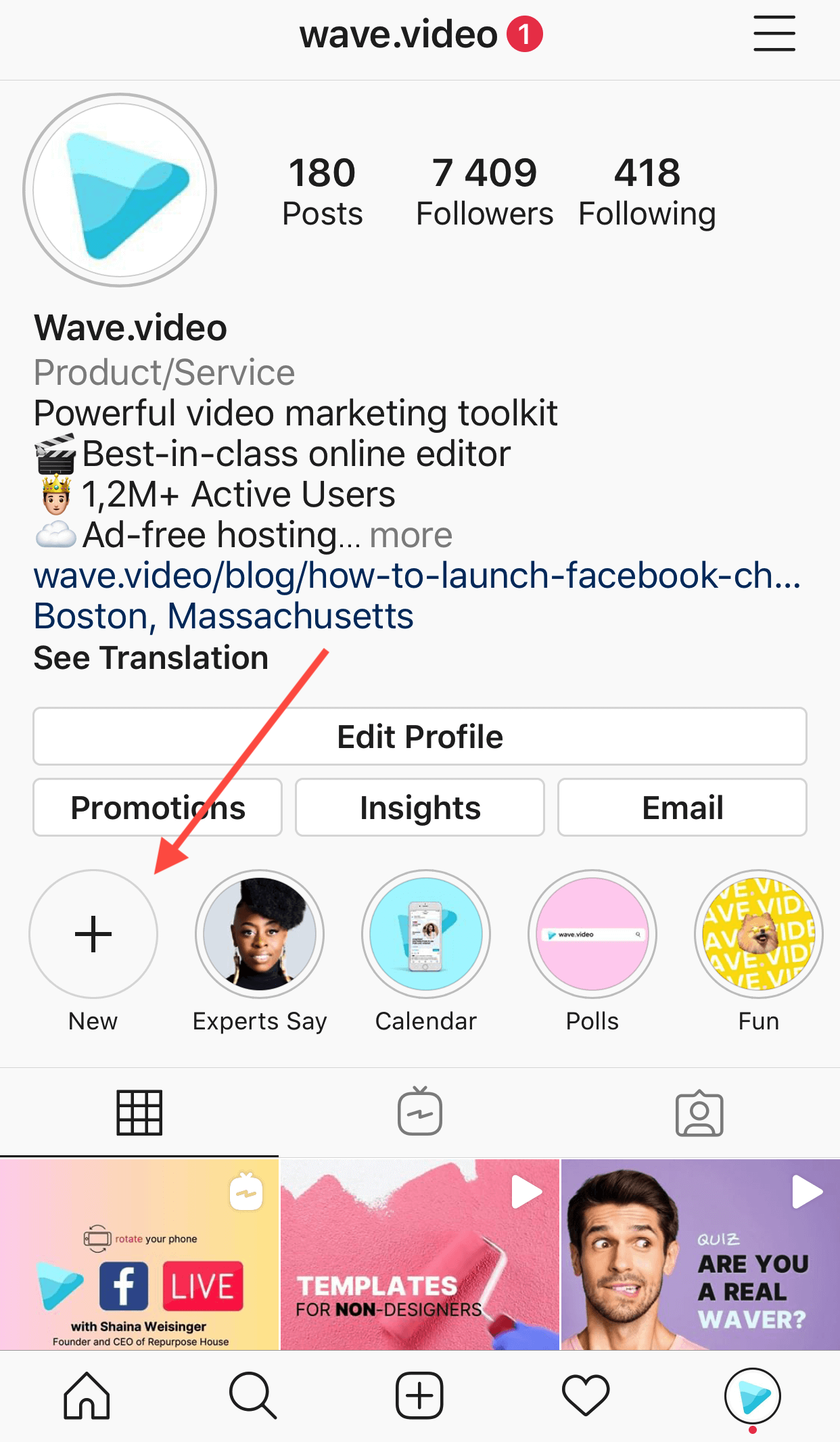
Taking a screenshot of a Highlight is simple — just use your phone’s built-in capture shortcut. On iPhone, press Side + Volume Up. On Android, press Power + Volume Down. No alert is ever sent to the other person.
Can Someone See If You Screenshot Their Highlights?
The short, definitive answer remains: No. Instagram doesn’t show the other person anything — not a notification, not a symbol, not a message.
Even if you take multiple screenshots or record the screen, they will never know. This applies across all devices and operating systems, including iPhone, Android, and web browsers.
Privacy confirmed: You can screenshot Highlights freely. Instagram doesn’t notify, and the creator can’t check it anywhere in analytics.
Can You See Who Screenshotted Your Highlights?
No, and that’s intentional. Instagram’s design doesn’t include a “screenshot log” or a “who viewed after 24 hours” tracker. Once Stories move into Highlights, the viewer data disappears.
You can see Story viewers only during the first 24 hours after posting. After it expires — even if you pin that Story into Highlights — Instagram removes the view list.
Explainer
When Highlights are created, they become a static collection. They don’t keep live metrics or viewer tracking — making them safe for anyone to view or capture quietly.
Does Instagram Notify Screenshot of Highlights?
Many users type this exact query hoping for clarity — and the answer is consistently no. Instagram doesn’t issue notifications for screenshots of Highlights, Stories, Reels, or feed posts.
The only two exceptions involve direct messages:
- Disappearing Photos/Videos: Screenshot triggers a small notification in the chat.
- Vanish Mode: Screenshot alerts both participants in the chat window.
In summary
No matter the rumors — Instagram still doesn’t notify screenshots of Highlights as of 2025.
What About Screen Recordings?
The same rule applies — Instagram doesn’t detect or notify when you record the screen. Whether you use a built-in recorder or a third-party app, there’s no way for the creator to know.
Heads Up
Screen recordings still fall under fair-use and privacy rules. Don’t share them publicly without permission.
Why Screenshot Notifications Only Exist in DMs
Meta’s privacy model distinguishes between public sharing and private exchange. Screenshot alerts were designed for temporary media — where users expect content to disappear after being viewed once.
Highlights, by contrast, are permanent and visible to everyone. Tracking screenshots there would contradict Instagram’s open-sharing design.
How to Protect Your Own Highlights from Unwanted Screenshots
While you can’t stop others from taking screenshots, you can minimize risks:
- Keep private moments off public Highlights. Share them with Close Friends instead.
- Add a watermark or your handle to discourage misuse.
- Use reporting tools if someone republishes your Highlight screenshots without consent.
Remember, public content can always be captured. Think twice before including sensitive images in Highlights.
Can You Screenshot Highlights Without Them Knowing?
Absolutely. There’s no tracking or alert system attached to Highlights. Whether you use Android, iOS, or desktop, screenshots remain private actions on your device only.
Quick Tip
To stay respectful, avoid reposting screenshots publicly without attribution. If you must share, always credit the creator’s handle.
Why People Keep Asking This in 2025
Instagram’s constant UI updates and new privacy features (like hidden likes, comment limits, and DM safety prompts) keep users guessing. That’s why this question resurfaces every few months — even though the underlying rule hasn’t changed since 2018.
Every few months, social media rumors claim “Instagram now shows who screenshotted your Story.” These myths resurface, but they’ve been false since the 2018 test feature removal.
Meta’s official documentation confirms: screenshot alerts appear only for disappearing media in private messages — nothing else.
Myths & Misunderstandings
- ❌ “Instagram secretly tracks who screenshots your profile.” — False.
- ❌ “Some users get notified because they have Creator accounts.” — False. No plan type affects this.
- ❌ “Beta users are being tested again for notifications.” — Outdated rumor from 2018.
Explainer
Instagram tested Story screenshot alerts for a few months in 2018 but fully discontinued them after negative feedback. It hasn’t returned since.
Can You Screenshot Highlights Without Them Knowing?
Since Instagram doesn’t notify users when screenshots are taken, you can safely capture Highlights using your phone’s standard tools. Still, here’s how to do it cleanly, without compromising quality — and with proper digital etiquette.
📱 On iPhone
- Open the user’s profile and tap a Highlight.
- When it plays full screen, press Side Button + Volume Up.
- You’ll see the screenshot saved instantly to Photos.
🤖 On Android
- Open Instagram → visit the profile → open a Highlight.
- Press Power + Volume Down simultaneously.
- The image saves directly into your gallery.
Quick Tip
If you’re capturing design inspiration, use your phone’s markup or edit tools to crop out usernames and sensitive info before sharing or saving.
Can Someone See If You Screenshot Their Highlights?
The short, definitive answer remains: No. Instagram doesn’t show the other person anything — not a notification, not a symbol, not a message.
Even if you take multiple screenshots or record the screen, they will never know. This applies across all devices and operating systems, including iPhone, Android, and web browsers.
Privacy confirmed: You can screenshot Highlights freely. Instagram doesn’t notify, and the creator can’t check it anywhere in analytics.
Can You See Who Screenshotted Your Highlights?
No, and that’s intentional. Instagram’s design doesn’t include a “screenshot log” or a “who viewed after 24 hours” tracker. Once Stories move into Highlights, the viewer data disappears.
You can see Story viewers only during the first 24 hours after posting. After it expires — even if you pin that Story into Highlights — Instagram removes the view list.
Explainer
When Highlights are created, they become a static collection. They don’t keep live metrics or viewer tracking — making them safe for anyone to view or capture quietly.
>Does Instagram Notify Screenshot of Highlights?
Many users type this exact query hoping for clarity — and the answer is consistently no. Instagram doesn’t issue notifications for screenshots of Highlights, Stories, Reels, or feed posts.
The only two exceptions involve direct messages:
- Disappearing Photos/Videos: Screenshot triggers a small notification in the chat.
- Vanish Mode: Screenshot alerts both participants in the chat window.
In summary
No matter the rumors — Instagram still doesn’t notify screenshots of Highlights as of 2025.
What About Screen Recordings?
The same rule applies — Instagram doesn’t detect or notify when you record the screen. Whether you use a built-in recorder or a third-party app, there’s no way for the creator to know.
Heads Up
Screen recordings still fall under fair-use and privacy rules. Don’t share them publicly without permission.
Why Screenshot Notifications Only Exist in DMs
Meta’s privacy model distinguishes between public sharing and private exchange. Screenshot alerts were designed for temporary media — where users expect content to disappear after being viewed once.
Highlights, by contrast, are permanent and visible to everyone. Tracking screenshots there would contradict Instagram’s open-sharing design.
How to Protect Your Own Highlights from Unwanted Screenshots
While you can’t stop others from taking screenshots, you can minimize risks:
- Keep private moments off public Highlights. Share them with Close Friends instead.
- Add a watermark or your handle to discourage misuse.
- Use reporting tools if someone republishes your Highlight screenshots without consent.
Remember, public content can always be captured. Think twice before including sensitive images in Highlights.
Can You Screenshot Highlights Without Them Knowing?
Absolutely. There’s no tracking or alert system attached to Highlights. Whether you use Android, iOS, or desktop, screenshots remain private actions on your device only.
Quick Tip
To stay respectful, avoid reposting screenshots publicly without attribution. If you must share, always credit the creator’s handle.
Why People Keep Asking This in 2025
Instagram’s constant UI updates and new privacy features (like hidden likes, comment limits, and DM safety prompts) keep users guessing. That’s why this question resurfaces every few months — even though the underlying rule hasn’t changed since 2018.
Meta’s official documentation confirms: screenshot alerts appear only for disappearing media in private messages — nothing else.
In summary
No matter the rumors — Instagram still doesn’t notify screenshots of Highlights as of 2025.
Myths & Misunderstandings
- ❌ “Instagram secretly tracks who screenshots your profile.” — False.
- ❌ “Some users get notified because they have Creator accounts.” — False. No plan type affects this.
- ❌ “Beta users are being tested again for notifications.” — Outdated rumor from 2018.
Explainer
Instagram tested Story screenshot alerts for a few months in 2018 but fully discontinued them after negative feedback. It hasn’t returned since.
Ethical Use of Screenshots
Even though Instagram doesn’t restrict screenshots of Highlights, you should always respect content ownership and privacy. Here’s how to stay ethical when saving someone else’s content.
- Give credit when reposting visuals, quotes, or designs.
- Blur names or faces if the content is personal.
- Don’t claim ownership of captured materials.
Quick Reminder
Using someone’s Highlight for inspiration is fine; using it for marketing or reposting without consent isn’t. Always credit the source.
Community Reports: What Users Say
On Reddit and Quora, countless users confirm the same reality — Instagram never notifies screenshots of Highlights. Many long-time creators have tested this repeatedly across updates, both on iOS and Android, and no alert ever appears.
The only confusion arises when users mix up Highlights with temporary disappearing messages. That’s why clarity on Instagram’s privacy layers matters more than ever.
In summary
No matter the rumors — Instagram still doesn’t notify screenshots of Highlights as of 2025.
Best Practices to Save Highlights Safely
When saving or referencing someone’s Instagram content, always respect privacy boundaries. The following guidelines are consistent with Meta’s official safety recommendations and creator policies.
- Always ask for permission before reposting private Highlights — even if they seem public.
- Use Instagram’s native tools like Save to Collection or Add to Story instead of taking screenshots.
- Review the official Instagram Privacy & Safety Center.
- Follow Meta’s Transparency and Privacy Policy to understand what data is visible when sharing Stories.
- Stay updated with platform changes through the Instagram Official Blog.
🔗 Sources
Official References
These recommendations are based on verified Instagram documentation and trusted media sources. Following them ensures compliance with the latest Instagram Privacy Guidelines .
FAQ
Can people see if you screenshot their Highlights on Instagram?No — Instagram doesn’t notify or track this. Screenshots are private to your device.
Does Instagram notify screenshot of Highlights in 2025?No. Notifications apply only to disappearing media in private messages.
Can you see who screenshots your Highlights?No — there’s no viewer list or alert system for screenshots of Highlights.
Can you screenshot Highlights without them knowing?Yes. Highlights are public and screenshot actions stay completely private.
Does screen recording trigger a notification?No. Instagram doesn’t detect or notify for screen recordings of Highlights or Stories.
Stay Smart About Instagram Privacy
Curious about more privacy topics? Check out our updated guides:
— How to Turn Off Vanish Mode on Instagram
— What Happens When You Screenshot Disappearing Photos
— How to Manage Message Controls in 2025
Final Thoughts
Let’s wrap it up clearly: Instagram doesn’t notify when you screenshot Highlights. There’s no log, no alert, and no hidden counter. The only screenshot notifications on Instagram still apply exclusively to temporary disappearing media inside DMs or Vanish Mode chats.
So take screenshots responsibly — save what inspires you, respect what belongs to others, and stay informed through official updates from Instagram’s Help Center.
Summary: You can screenshot any Instagram Highlight without them knowing. It’s safe, private, and perfectly normal — as long as you respect creators’ rights.