Log In Sign Up
Back to Blog

How to Use Instagram: A Complete Beginner’s Guide

How to Use Instagram: A Complete Beginner’s Guide
🚀 Quick Start for New Instagram Users: Want to make your first posts visible faster? Try safe growth tools for buying Instagram followers, views, and engagement. A gentle boost helps your content reach real audiences while you learn.

Introduction: How to Use Instagram for Beginners

If you’ve ever opened Instagram and thought, “Where do I even start?” — you’re not alone. Instagram can seem overwhelming at first, but it’s one of the most intuitive social platforms once you understand the basics. This guide walks you step-by-step through everything — from account setup to Reels, hashtags, and safety.
Instagram basics for beginners
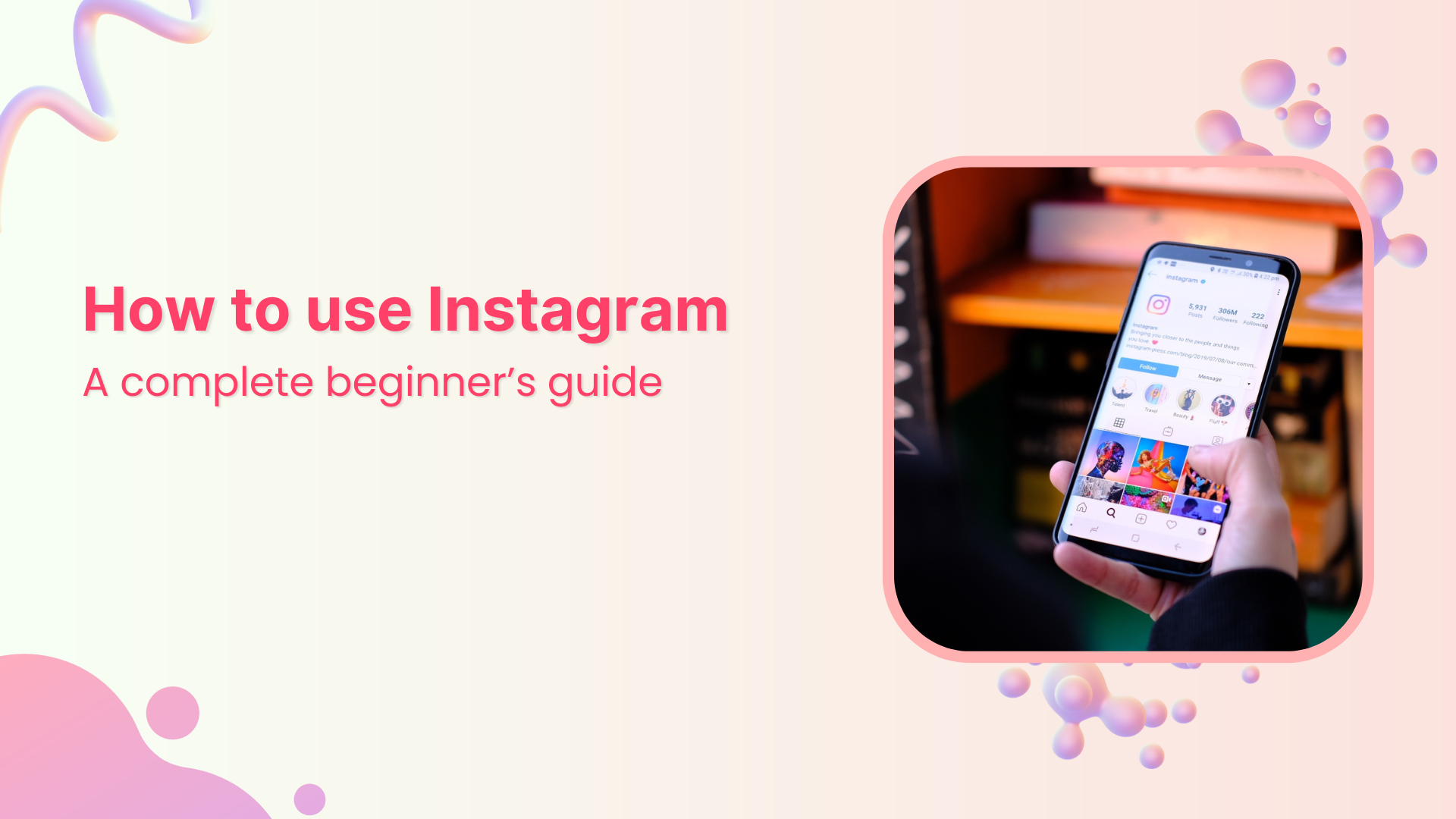
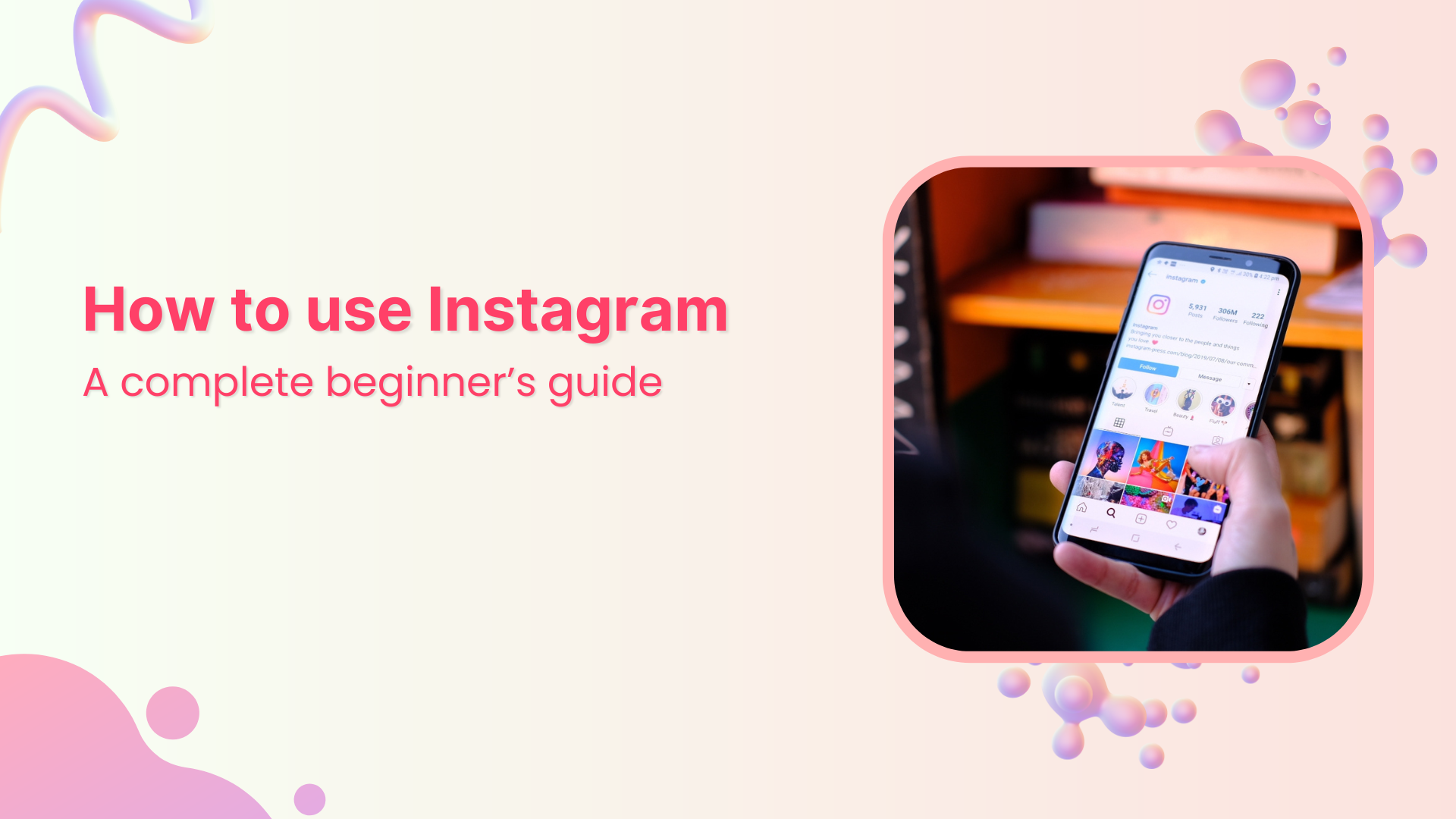
Instagram’s clean interface makes it beginner-friendly once you know the basics.

Whether you’re joining to share daily moments, grow a small business, or start a creator journey, Instagram is built around connection and visual storytelling. By the end of this guide, you’ll confidently post, engage, and protect your content.

🎥 Watch: How to Use Instagram (Beginner’s Walkthrough)

Can’t watch here? View directly on YouTube.

Setting Up Your Instagram Account for the First Time

Getting started on Instagram takes only a few minutes, but doing it right helps you grow faster later. Here’s a simple step-by-step process.

  1. Download the App from App Store or Google Play. Sign up using your email, phone, or Facebook login.
  2. Choose a Username that’s easy to remember and matches your identity or niche (e.g. @coffeewithsofia).
  3. Select Account Type: Personal or Professional. Beginners aiming to grow should choose a Professional (Creator/Business) profile. More details in our guide Business Account on Instagram.
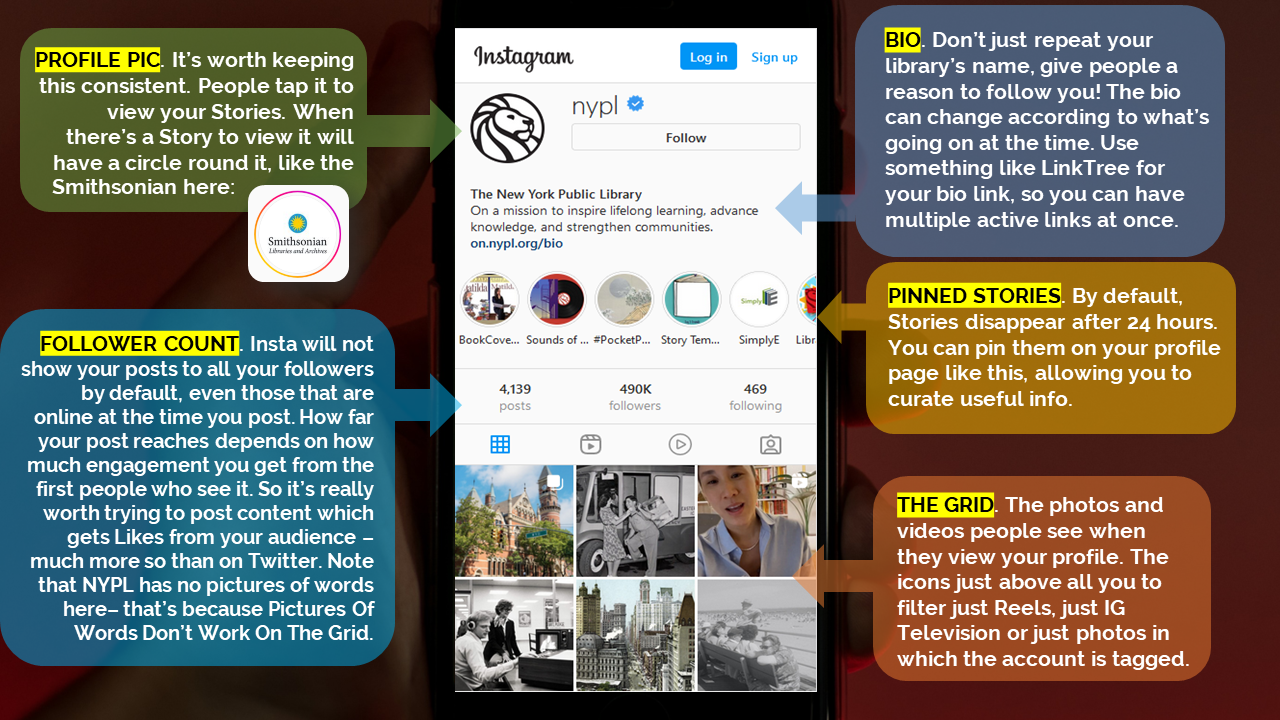
  4. Add Profile Picture + Bio: clear image, short description, and one useful link. Learn bio strategy from Micro-Influencer Partnerships.
  5. Review Privacy Settings: decide who sees your posts — see Hide Likes & Privacy Guide.

Instagram profile setup example
Adding a clear photo and descriptive bio increases trust and discoverability.
Tip: Use the “Name” field strategically. It’s searchable! Write “Anna | Travel & Lifestyle” instead of just your name to appear in niche searches.

How to Post on Instagram and Get Your First Followers
Posting basics on Instagram for beginners
Pick a clear photo, write a friendly caption, add a few relevant hashtags — then engage.

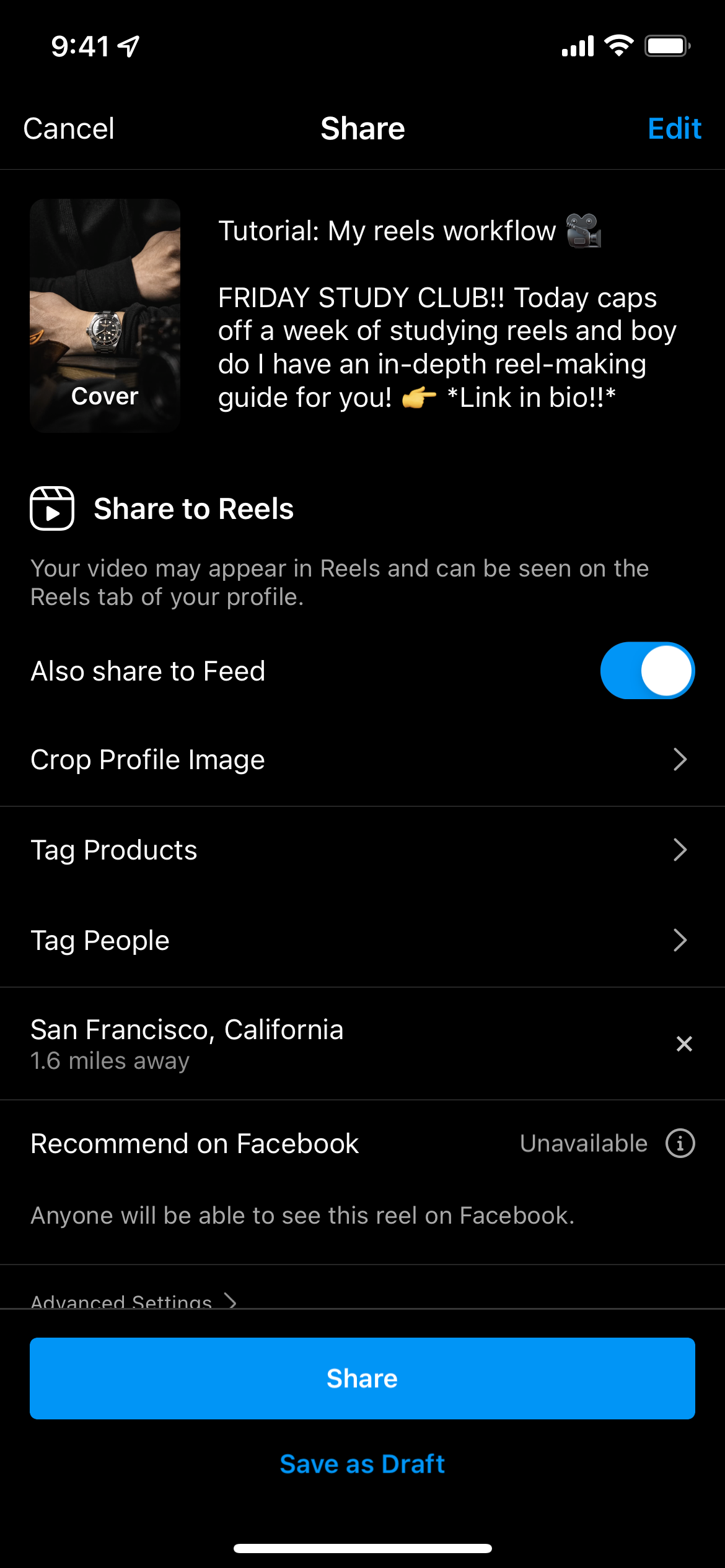
Your first post doesn’t need to be perfect — it needs to be you. Choose a simple image that represents your day, hobby, or brand, then write a short caption and ask a question to invite comments. Use 5–10 targeted hashtags and a location tag to help discovery. After publishing, reply to every comment — this signals activity to the algorithm and builds early trust with new followers.

Quick step-by-step

  1. Tap the “+” button → choose Post → pick a photo/video.
  2. Add a short, friendly caption + a question (CTA) to spark comments.
  3. Use 5–10 hashtags (mix broad + niche) and add a location.
  4. Publish — then engage: reply to comments, visit profiles, be social.
Improve photo quality: If your uploads look soft or compressed, read Why Does Instagram Ruin Photo Quality for simple fixes (export settings, aspect ratios, and compression tips).

Instagram Stories Tutorial for New Users

Stories for beginners interface basics
Stories are perfect for daily updates — quick, casual, and personal.

Stories are 24-hour clips that keep your profile active and approachable. Post a selfie, a quick video, or a behind-the-scenes moment. Add polls, questions, or emoji sliders to create micro-interactions that increase your story completion rate and nudge the algorithm to show your content more often.

How to create your first Story

  1. Tap your avatar → Your Story → capture or upload a 9:16 photo/video.
  2. Add stickers (Poll, Questions), text, or captions for clarity.
  3. Share — and save the best to Highlights (“About me”, “Tips”, “Behind the scenes”).
Private/Exclusive format: Use Close Friends to share VIP content with your inner circle and build a micro-community. See our strategy guide: Instagram Close Friends Stories for Business.

Want creative Story layouts (grids, moodboards, multi-image frames)? Try an easy first win: How to Make a Collage on Instagram Story. Collages tend to earn saves and shares, which are strong engagement signals for beginners.

How to Use Instagram Reels When You’re Starting Out

Reels are short vertical videos designed for discovery. Even small accounts can reach thousands with helpful, inspiring, or entertaining clips. Start simple: a 10–20 second tip, a quick before/after, or a “day-in-the-life” snippet. Add on-screen captions so viewers understand your message with the sound off.

Beginner workflow

  1. Tap “+” → Reel → record or upload a vertical clip (9:16).
  2. Add audio (trending sound) and trim cuts for pace.
  3. Write a clear caption + 5–8 relevant hashtags (topic + niche + location).
Trending audio matters: Using rising sounds can increase reach dramatically. See our walkthrough: How to Find Trending Audio for Instagram Reels .

If you prefer storytelling without video, try carousel posts to teach or narrate in slides: Carousel Posts as Storytelling Tools . Carousels encourage swipes and saves — two metrics that help beginners grow faster.

Instagram Profile Optimisation Tips for Beginners

Your profile is your storefront. In seconds, visitors decide whether to follow. Make that decision easy with a clear photo, a keyword-rich bio, consistent Highlights, and a recognizable visual style across your first 6–9 posts.

Essentials to optimise

  • Profile picture: bright, centered, readable at small size (face or logo).
  • Bio: niche + value + subtle CTA (e.g., “New tips weekly”).
  • Name field (searchable): “Alex | Fitness for Beginners” beats just “Alex”.
  • Highlights: “About”, “Tips”, “Products”, “FAQ” with consistent covers.
  • Link: direct to your main page or offers; later use multiple links if needed.
Business features: If you need analytics, contact buttons, and growth tools, switch to a Professional profile. Full breakdown: Instagram Business Account — Grow Faster .

Concerned about visibility and comfort levels as you learn? Review privacy preferences and social proof options in Can You Hide Your Likes on Instagram. Balancing openness and control helps beginners post more confidently.

Instagram Hashtags Explained & Beginner Engagement

Hashtags work like searchable labels that categorize your content. Use a balanced mix of broad and niche tags to reach relevant audiences without getting lost among millions of posts. Keep a rotating list in your notes app and update it as your content evolves.

Hashtag Type Example When to Use
Broad topic #travel #foodie #wellness General reach; pair with niche tags to stay relevant.
Niche keyword #homebarista #beginnerworkouts Highly targeted discovery among like-minded users.
Location #pariscafes #nycfood Local visibility for small businesses and city content.
Style/format #beforeafter #howto #quicktips Signals content type; improves saves and shares.
Pro read: Use Instagram Insights to see which tags actually drive reach and saves. Step-by-step: Instagram Insights in 9 Easy Steps.

Beginner engagement routine (10 minutes a day)

  • Reply to every comment (even short “Thanks!” counts).
  • Use Story stickers (Polls, Questions) to spark micro-interactions.
  • Leave meaningful comments on 3–5 posts in your niche (no generic “Nice!”).
  • Cross-link to helpful posts or guides in your captions to keep users exploring.
Need a gentle visibility boost while you learn? Explore safe growth tools for Instagram followers, views, and engagement — great for kick-starting reach on brand-new accounts.

If you’re worried about unwanted attention or DM behavior while engaging, review privacy tools: How to Know if Someone Is Stalking You on Instagram and How to Turn Off Vanish Mode. Both guides help beginners feel safer and more in control.

Instagram Privacy Settings Every Beginner Should Check

Before posting regularly, take a few minutes to set up Instagram privacy correctly. It gives you control over who can see, share, or comment on your content — essential for new users.

  1. Set Account Type: Switch to a Private account for personal use or keep it Public for business. You can change anytime.
  2. Hide Stories: Go to Settings → Story → “Hide Story From” to select people. Perfect for personal moments.
  3. Approve Tags: Settings → Tags → “Manually Approve.” Prevents spam mentions and unwanted photos.
  4. Control Comments: Limit to “People You Follow” for safer interaction.
  5. Turn On 2FA: Two-factor authentication adds extra login protection.
  6. Manage Data Access: Request your data anytime under “Privacy → Data Download.”
Extra privacy tip: Learn how message privacy works in Vanish Mode — perfect for managing temporary conversations safely.

Instagram Dos and Don’ts for New Users

Every beginner makes small mistakes — the key is learning quickly. Follow these simple rules to stay consistent, safe, and authentic.

DoWhy It Helps
Post 2–3 times a weekBuilds consistency and trains the algorithm to trust your activity.
Engage with followersReplying to comments and DMs increases visibility and connection.
Use original contentAuthenticity drives loyalty and prevents copyright issues.
Monitor InsightsAnalytics reveal what your audience loves — double down on it.
Don’tWhy It Hurts
Buy fake followersFake growth lowers engagement and trust. For safe alternatives, use real Instagram growth services.
Overuse hashtagsSpammy tags reduce post reach — quality matters more than quantity.
Ignore privacyUnfiltered visibility can expose you to spam and bots. Check our Stalking Detection Guide.
Compare yourself to othersEvery creator starts small — growth is a marathon, not a race.

How to Grow Instagram Followers from Zero in 2025

Growth on Instagram today isn’t about luck — it’s about consistency, strategy, and authenticity. You don’t need fancy gear or thousands of followers to begin; what matters is showing up and learning as you go.

  • Define your niche: Focus on 2–3 content themes that reflect your interests or business.
  • Post plan: 2 posts/week, 3 Stories, 1 Reel. By week four, adjust based on Insights.
  • Engage daily: Spend 10 minutes liking, commenting, and replying — genuine activity compounds reach.
  • Use Reels for discovery: Short clips with trending audio can skyrocket your reach organically.
  • Collaborate: Partner with beginners in your niche to cross-promote each other’s posts.
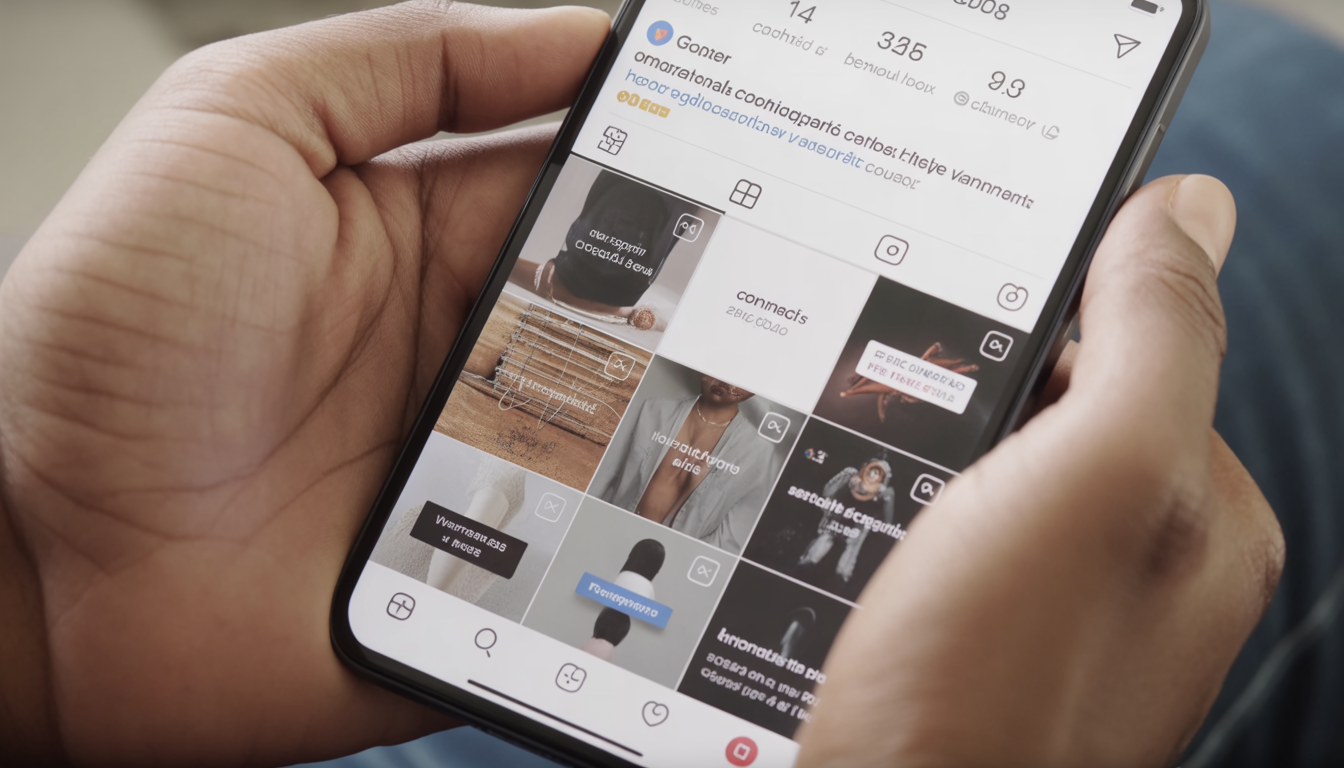
Content idea bank: Try “My first post,” “Morning routine,” “Behind the scenes,” or “3 lessons I learned this week.” For more creative inspiration, see Reels Audio Guide.

FAQ: Instagram for Beginners

How often should I post as a beginner?
Start with 2–3 posts a week and a few Stories in between. Regular posting trains Instagram’s algorithm to recognize your activity, which improves visibility faster than random uploads.
What type of content gets the most engagement?
Reels and authentic photos perform best. Mix formats — Reels bring discovery, while posts and Stories deepen relationships. Honest captions outperform polished, robotic ones.
How can I protect my account?
Enable 2FA, avoid sharing passwords, and don’t click suspicious links. If someone unsends messages, learn why in Unsent Message Guide.
How do I know if I’m growing?
Use Instagram Insights: monitor reach, saves, and shares weekly. See the full tutorial: How to Use Instagram Insights.
{ "@context": "https://schema.org", "@type": "Article", "headline": "How to Use Instagram: A Complete Beginner’s Guide", "description": "Step-by-step guide for beginners on how to use Instagram: account setup, posting, Stories, Reels, privacy, and engagement tips for 2025.", "author": { "@type": "Person", "name": "FiveBBC Editorial Team" }, "publisher": { "@type": "Organization", "name": "FiveBBC", "logo": { "@type": "ImageObject", "url": "https://fivebbc.com/logo.png" } }, "mainEntityOfPage": "https://fivebbc.com/blog/how-to-use-instagram-for-beginners-guide", "datePublished": "2025-10-28", "image": [ "https://storage.perfectcdn.com/7de874/ksn6d2sm65lh9hrl.png", "https://storage.perfectcdn.com/7de874/qw8z1delgig7xqjo.png", "https://storage.perfectcdn.com/7de874/pet1upmeb0x2o95a.png" ] }
/* ============================================ GLOBAL ARTICLE BASE ============================================ */ .article { max-width: 1320px; margin: 0 auto; padding: 0 24px 60px; font-family: 'Inter', system-ui, sans-serif; font-size: 1rem; line-height: 1.7; color: #334155; } .article h1, .article h2, .article h3 { color: #0f172a; font-weight: 700; line-height: 1.35; margin-top: 2.2em; } .article h2 { font-size: 1.55rem; border-bottom: 1px solid #e2e8f0; padding-bottom: 8px; } .article h3 { font-size: 1.25rem; margin-top: 1.6em; } .article p { margin: 16px 0; } .article a { color: #0ea5e9; text-decoration: none; transition: 0.25s; } .article a:hover { color: #0284c7; text-decoration: underline; } /* ============================================ TABLE OF CONTENTS ============================================ */ .toc { background: #ffffff; border: 1px solid #e2e8f0; box-shadow: 0 4px 14px rgba(0,0,0,0.04); padding: 28px 32px; border-radius: 12px; max-width: 780px; margin: 40px auto; } .toc-title { font-weight: 700; font-size: 1.25rem; margin-bottom: 16px; } .toc-list-clean { list-style: none; margin: 0; padding: 0; } .toc-list-clean li { margin-bottom: 10px; } .toc-list-clean a { color: #0ea5e9; } .toc-list-clean a:hover { color: #0369a1; } /* ============================================ FIGURES (LEFT / RIGHT) ============================================ */ .fig-left, .fig-right { margin: 20px 0; } .fig-left { float: left; margin-right: 28px; } .fig-right { float: right; margin-left: 28px; } .fig-left img, .fig-right img { border-radius: 12px; box-shadow: 0 2px 12px rgba(0,0,0,0.05); max-width: 100%; height: auto; } figure figcaption { font-size: 0.9rem; color: #64748b; margin-top: 6px; font-style: italic; } /* ============================================ TABLES ============================================ */ .table-wrapper { overflow-x: auto; margin: 28px 0; } .quality-table { width: 100%; border-collapse: collapse; min-width: 680px; } .quality-table th { background: #f8fafc; color: #0f172a; text-align: left; padding: 12px 14px; border-bottom: 2px solid #e2e8f0; } .quality-table td { padding: 12px 14px; border-bottom: 1px solid #e2e8f0; } .table-interpretation { font-size: 0.9rem; color: #475569; margin-top: 10px; } /* ============================================ TIP / NOTE BLOCKS ============================================ */ .tip-block { border-left: 5px solid; padding: 18px 22px; border-radius: 8px; margin: 24px 0; background: #f8fafc; box-shadow: 0 2px 8px rgba(0,0,0,0.03); } .tip-blue { border-color: #0ea5e9; background: #f0f9ff; } .tip-green { border-color: #22c55e; background: #f0fdf4; } .tip-yellow { border-color: #facc15; background: #fefce8; } .tip-purple { border-color: #8b5cf6; background: #faf5ff; } .note { background: #f9fafb; border-left: 4px solid #0ea5e9; padding: 16px 20px; margin: 24px 0; border-radius: 8px; color: #475569; } /* ============================================ FAQ DROPDOWNS ============================================ */ #faq details { border: 1px solid #e2e8f0; border-radius: 8px; background: #ffffff; margin: 14px 0; box-shadow: 0 3px 10px rgba(0,0,0,0.03); } #faq summary { font-weight: 600; padding: 14px 18px; cursor: pointer; color: #0f172a; } #faq summary:hover { color: #0ea5e9; } #faq .faq-body { border-top: 1px solid #e2e8f0; padding: 14px 18px; font-size: 0.95rem; color: #475569; } /* ============================================ RELATED LINKS GRID ============================================ */ .related-grid { display: grid; grid-template-columns: repeat(auto-fit, minmax(240px, 1fr)); gap: 14px; margin-top: 20px; } .related-card { display: block; background: #f8fafc; border-radius: 10px; padding: 16px 20px; font-weight: 500; color: #0ea5e9; border: 1px solid #e2e8f0; transition: all 0.25s ease; } .related-card:hover { background: #e0f2fe; border-color: #bae6fd; text-decoration: none; } /* ============================================ VIDEO EMBED ============================================ */ .video-embed__wrapper { position: relative; padding-bottom: 56.25%; height: 0; overflow: hidden; border-radius: 12px; margin: 24px 0; box-shadow: 0 4px 16px rgba(0,0,0,0.05); } .video-embed__wrapper iframe { position: absolute; top: 0; left: 0; width: 100%; height: 100%; border: 0; } /* ============================================ RESPONSIVE FIXES ============================================ */ @media (max-width: 900px) { .fig-left, .fig-right { float: none; margin: 20px auto; display: block; text-align: center; } .article { padding: 0 18px 50px; } .toc { padding: 22px 20px; } .quality-table { min-width: 100%; } }

Frequently Asked Questions

How often should I post as a beginner?
Start with 2–3 posts a week and a few Stories in between. Regular posting trains Instagram’s algorithm to recognize your activity, which improves visibility faster than random uploads.
What type of content gets the most engagement?
Reels and authentic photos perform best. Mix formats — Reels bring discovery, while posts and Stories deepen relationships. Honest captions outperform polished, robotic ones.
How can I protect my account?
Enable 2FA, avoid sharing passwords, and don’t click suspicious links. If someone unsends messages, learn why inUnsent Message Guide.
How do I know if I’m growing?
Use Instagram Insights: monitor reach, saves, and shares weekly. See the full tutorial:How to Use Instagram Insights.

FiveBBC Team

Social Media Growth Experts

The FiveBBC team brings over 9 years of experience in social media marketing. We share actionable insights, growth strategies, and platform updates to help creators, businesses, and agencies succeed on social media.

Ready to Grow Your Social Media?

Join thousands of satisfied customers today

Get Started — It's Free