Log In Sign Up
Back to Blog

Does instagram notify screen recording

Does instagram notify screen recording

What Is Screen Recording on Instagram?

Screen recording is a built-in feature available on nearly every modern smartphone — both iOS and Android — that allows users to capture everything that appears on their screen in real time. Instead of saving just one image (like a screenshot), it creates a video file showing actions, movements, and even audio from the device.

On Instagram, people use screen recording for a variety of reasons: to preserve content that might disappear, document social interactions, or analyze marketing trends. Unlike the app’s built-in “Save” or “Bookmark” tools, screen recording gives users complete control over what they capture — even content that isn’t downloadable.

📱 Common Real-World Examples

  • Saving disappearing Stories: A user might record a friend’s Story that’s available for only 24 hours, keeping it for memories or proof of communication.
  • Capturing Reels for creative reference: Social media managers and creators often record trending Reels to study editing techniques or caption styles.
  • Recording live streams or events: Some users capture live sessions, interviews, or concerts for later re-watching or educational purposes.
  • Documenting private chats: Screen recording can be used as evidence in cases of harassment or scams when users need to preserve conversations before they’re deleted.
  • Tutorial or marketing reviews: Influencers and agencies record user experiences, app walkthroughs, or engagement stats for content audits.

🎥 Technical Insight

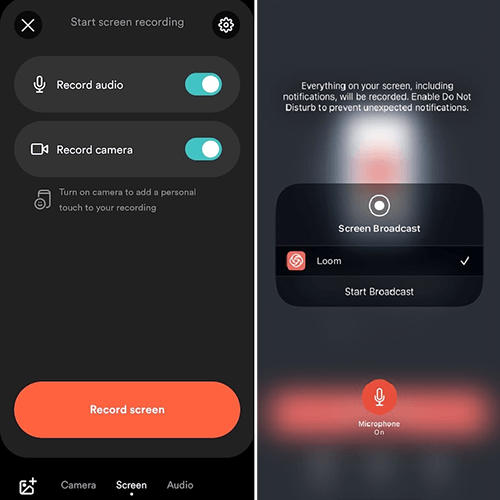
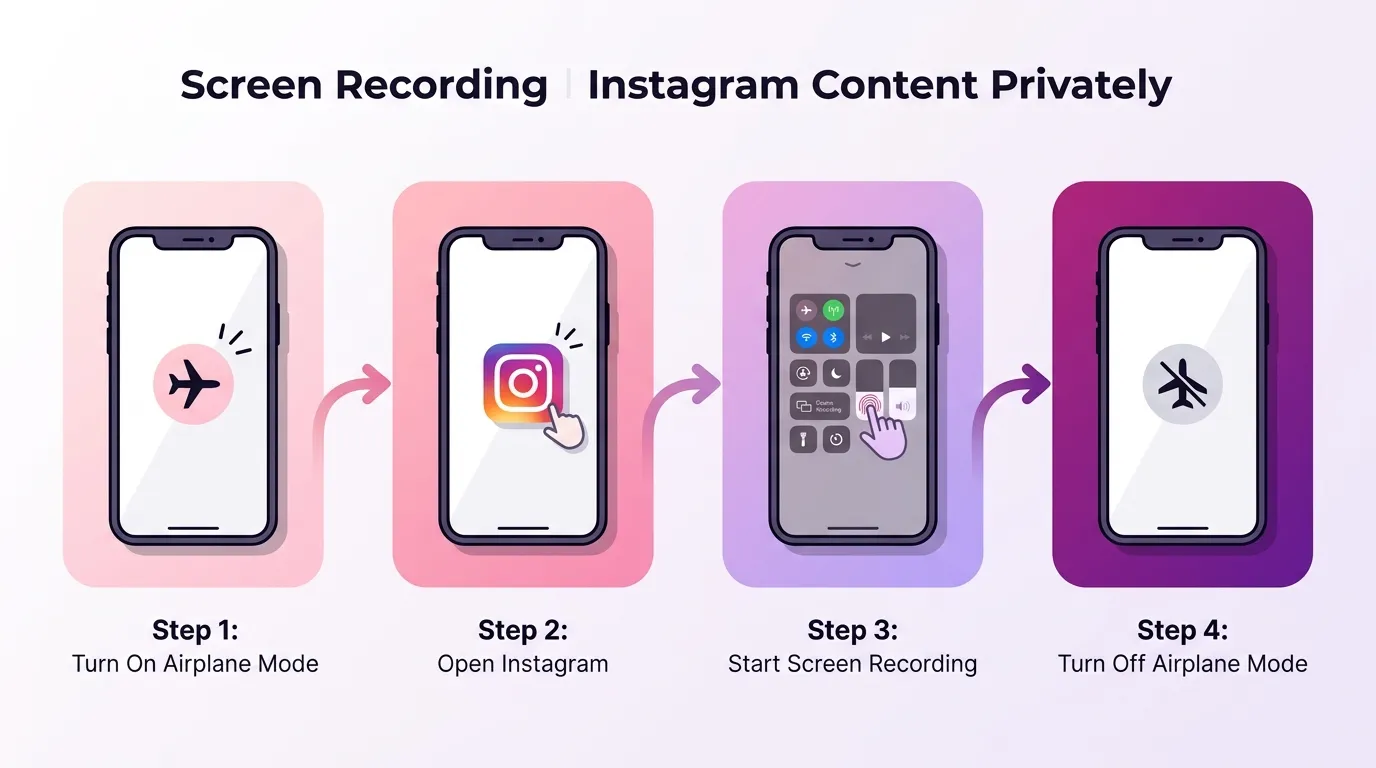
Screen recording captures both visual and audio streams of your screen. On most phones, it’s started by pulling down the control center or quick-access panel and tapping the recording icon. Some devices allow microphone input — meaning you can narrate while recording a Reel or tutorial.

Instagram doesn’t currently include a native screen-recording function, so users rely on system tools or third-party software. This independence makes tracking or restricting recordings technically difficult — which is why questions about notifications and privacy are so common.

Pro insight: Screen recording can be useful for education, design, or analysis, but sharing those recordings publicly without consent may violate Instagram’s community guidelines and local privacy laws.
Screen recording example on Instagram interface
Example: users can record Stories, Reels, or chats directly from the screen without Instagram sending any notification.

Does Instagram Notify Screen Recording in 2025?

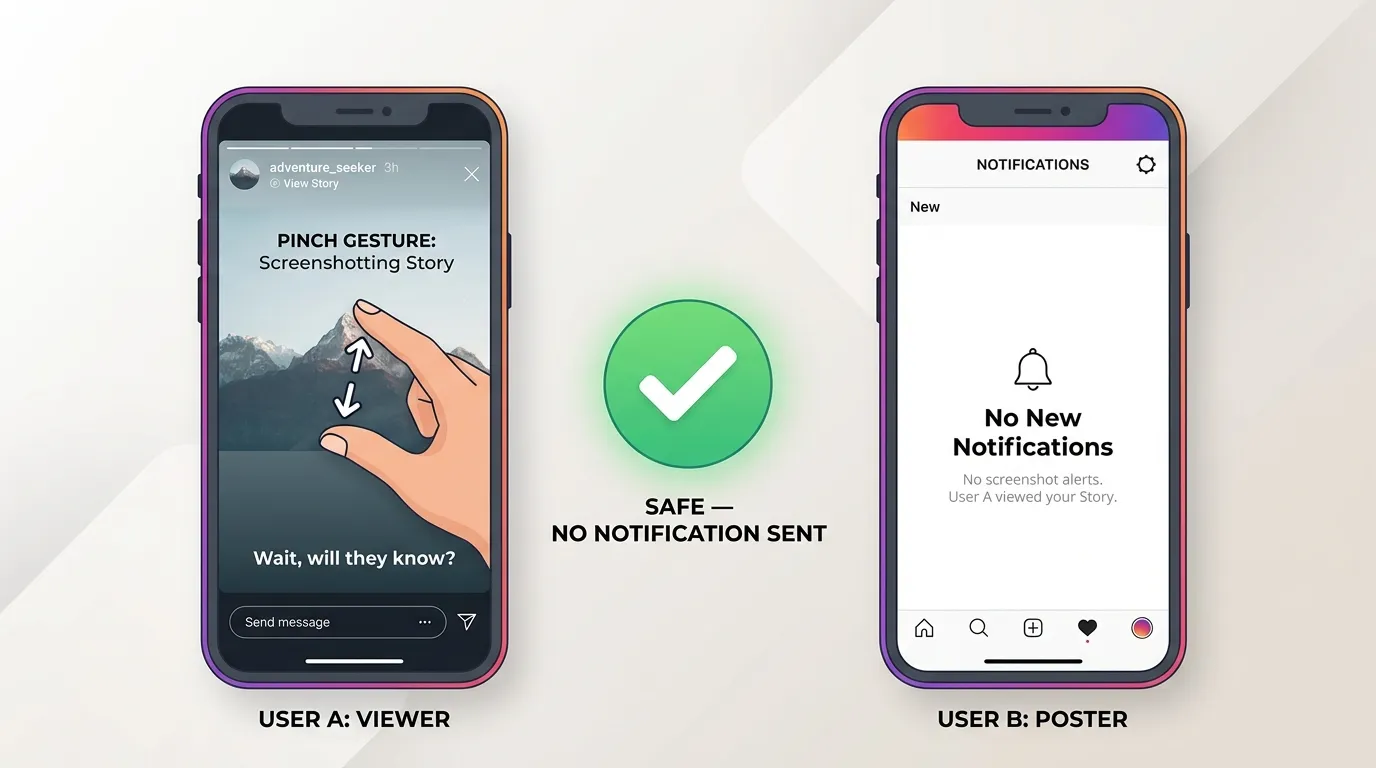
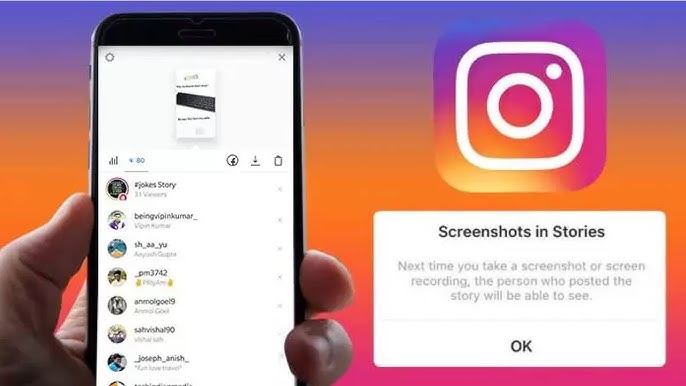
As of 2025, Instagram does not send notifications when someone records the screen across Stories, Reels, Posts, and Highlights. The often-cited 2018 screenshot alerts were discontinued and haven’t returned. Instagram now focuses on transparency and content control rather than “surveillance-style” notifications.

Official reference: Instagram Help Center

📊 When Does Instagram Notify Screen Recording?

To make it easier, here’s a quick overview of which Instagram features send recording alerts in 2025. Spoiler: for almost all types of content, Instagram does not notify users — but there are a few exceptions.

Type of Content Notification Sent? Details & Notes
Stories (Public & Private) ❌ No Instagram does not send any screen recording alerts for Stories — including Close Friends. Privacy relies on mutual trust.
Reels ❌ No Reels are public by design. You can record them freely, but always credit the creator if reused.
Feed Posts ❌ No Photos and videos in the feed can be recorded without alerts. Watermark your posts if you’re a creator.
Highlights ❌ No Recording Highlights is undetectable, but leaking or reusing them without consent breaks community trust.
Regular DMs (Text, Images, Links) ❌ No Recording or screenshotting standard DMs will not notify the sender.
Disappearing Media in DMs ⚠️ Sometimes When a view-once or replayable photo/video is recorded, the sender may see a small flash or warning icon.
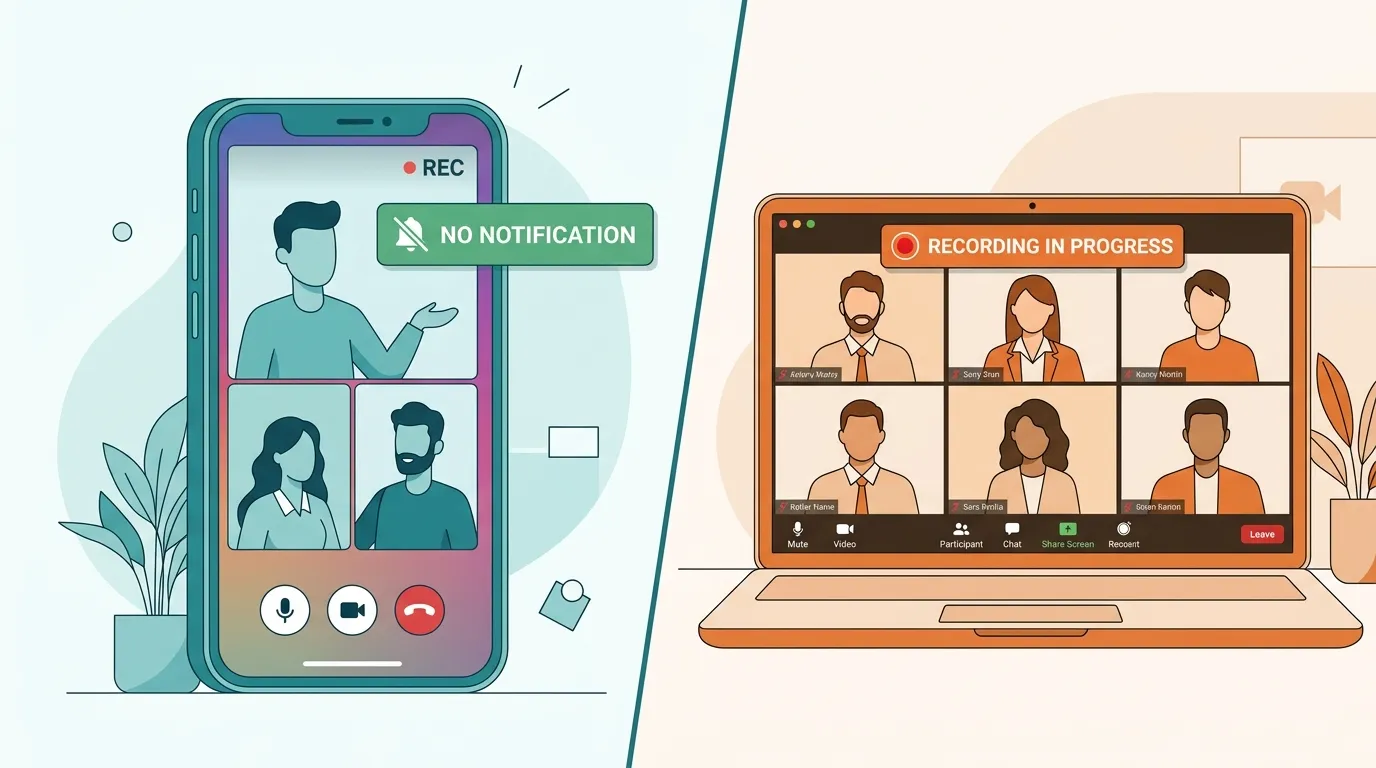
Video Calls ❌ No Instagram doesn’t detect screen recording of video calls, but recording without consent can break privacy laws.
Live Streams ❌ No Instagram Live recordings are not notified. However, the app saves stream metrics, not who records them.
Quick summary: Instagram won’t alert anyone for screen recording in 2025. The only partial exception is disappearing media inside DMs — everything else remains notification-free.

Screen Recording in DMs & Chats

Regular DMs

When it comes to regular Direct Messages (DMs) on Instagram — text chats, shared posts, audio notes, or videos — the app does not notify anyone if you record or screenshot the conversation. This rule applies universally, both on mobile and desktop. Users can freely record message threads for personal use without the sender ever being alerted.

For example, you can start a screen recording while:

  • Scrolling through your chat history with a client or a collaborator to keep a business record.
  • Saving an interesting discussion, quote, or tutorial shared through messages.
  • Recording how a scammer communicates before reporting the account to Instagram.
  • Collecting evidence of bullying, impersonation, or fake account activity for legal or moderation purposes.

It’s important to understand that screen recording is a device-level action — it happens entirely outside of Instagram’s control. That’s why the app cannot detect or track when it occurs. The same principle applies to forwarding messages or sharing screenshots through other apps: Instagram has no system to alert users that this happened.

However, just because the app doesn’t send notifications doesn’t mean you should use recordings irresponsibly. DMs often include personal, emotional, or confidential exchanges — especially between friends, clients, or partners. Reposting private messages publicly without consent can damage trust or even lead to account suspension if it’s flagged for harassment or doxxing.

Good practice: If you record messages for documentation or safety reasons, keep them private. Use them only as evidence or for internal reference, not for social media exposure. Instagram’s community guidelines protect all users’ right to confidentiality within private chats.

For instance, influencers and businesses sometimes record client or customer service chats to train team members — this is fine as long as names, handles, or personal data are blurred. In contrast, uploading another user’s private messages to Stories, Reels, or TikTok without their consent could be treated as a privacy violation or even as digital harassment.

From a technical standpoint, Instagram encrypts all message delivery between users, but the app itself cannot prevent or detect local device screen capture. This gap between platform-level privacy and device-level control is why users must rely on ethical behavior rather than notifications.

Need to manage deleted messages safely? Learn how message removal and “unsent” notifications actually work in our guide: Can You See Who Unsent a Message on Instagram.
Instagram DMs privacy and disappearing messages
Disappearing media in DMs is privacy-sensitive — recording may show a small alert icon.

Stories: Public, Private & Close Friends

Instagram does not notify users when you record public or private Stories, including Close Friends Stories. Still, these posts are shared to specific audiences; reposting or leaking private Stories can violate community trust and policies.

If you suspect obsessive viewing patterns or boundary-crossing behavior, learn how to detect it: How to Know If Someone Is Stalking You on Instagram

Reels, Posts & Highlights

🎬 Reels

Instagram does not notify creators when you record their Reels — whether you capture them directly from the app or while scrolling through your feed. Reels are designed for public discovery and sharing, so notifications for screen recording would contradict their open, viral nature. Anyone can technically record a Reel and watch it later offline without alerting the creator.

Still, that freedom doesn’t mean unlimited use. If you plan to reuse or repost recorded Reels — for example, to illustrate a trend or reference editing techniques — it’s crucial to credit the original creator. Failing to do so can harm your credibility and, in serious cases, violate copyright or community rules.

  • Example 1: A marketing agency records trending Reels to study hook techniques and posting times — perfectly acceptable for internal analysis.
  • Example 2: A blogger reuploads someone’s recorded Reel without mentioning the author — this could be flagged for copyright violation.
  • Example 3: A designer records a Reel to demonstrate transition timing in educational tutorials — acceptable if properly attributed.
Pro tip: Instead of recording, use the “Save” or “Add to Collection” feature to build a library of Reels safely within your account. It’s faster, ethical, and keeps your recommendations aligned with your interests.
Recording Instagram Reels examples and creative usage
Reels are public and can be recorded without notification — but always credit creators when reusing content.

🖼️ Posts

Recording feed photos or videos on Instagram also goes unnoticed. Whether you capture a recipe video, a brand campaign, or a personal photo, Instagram will not alert the user whose content you record.

Many users screen record feed videos to study ad layouts, visual effects, or product demonstrations. This is common in digital marketing, content design, and influencer analytics. However, reposting recorded posts without permission can still be considered unauthorized reuse.

  • Safe use: Saving a feed video to learn about editing or format ideas.
  • Risky use: Reposting someone’s personal or brand post as your own content.
Creator advice: If you’re worried about others misusing your photos or videos, add a small watermark or logo overlay to protect your work. You can also disable embedding or restrict sharing in your privacy settings.

📚 Highlights

Highlights are collections of past Stories that users choose to keep permanently on their profiles. These are often curated portfolios, travel journals, or behind-the-scenes moments — and, just like Stories and Reels, recording them won’t trigger any notification.

Even though Highlights are public, many creators share semi-personal moments there (for example, client testimonials, memories, or brand archives). Recording and redistributing that content without permission can violate both intellectual property and personal privacy rules.

  • Example 1: A user records travel Highlights from a public influencer account for inspiration — acceptable for private viewing.
  • Example 2: A competitor downloads and republishes those same Highlights as their own brand visuals — unacceptable and reportable.
Respect matters: Even when no notification is sent, consent still applies. Always ask permission if you plan to reuse or repost someone’s recorded Highlights publicly.
Tip for creators: Protect your Highlights by grouping public and personal content separately. If you notice strange behavior or excessive views from unknown accounts, check this safety article: How to Know If Someone Is Stalking You on Instagram.

If your recorded or uploaded visuals look blurry, remember that compression can affect quality. To learn how to keep your Reels and posts in full HD, read: Why Does Instagram Ruin Photo Quality?

Video Calls & Recording

Instagram currently offers video calls through the built-in Direct Messaging feature — and as of 2025, the platform does not send any notifications when one participant records the call using a screen recorder or external software. This applies to both one-on-one and group video calls, whether they’re made from mobile devices or desktop browsers via the web version of Instagram.

While this may seem convenient, it also raises important privacy and ethical questions. Video calls often include personal conversations, professional meetings, or even sensitive business negotiations. Recording them without consent can easily cross legal boundaries, especially if the footage includes names, images, or private details of others.

🎥 How Screen Recording Works During Instagram Video Calls

  • On iPhone: You can start recording by swiping down the Control Center and tapping the “Record” icon. The feature captures both video and microphone audio, but not the system sound of the other person unless you use third-party tools.
  • On Android: Most devices offer native screen recording via the Quick Settings panel. Some phones may require you to manually enable microphone access for audio recording during calls.
  • Third-party tools: Apps like OBS, AZ Recorder, or built-in Mac/Windows recorders can capture Instagram video calls for training, podcasts, or evidence — but these should be used responsibly and transparently.
Technical insight: Instagram doesn’t have access to your device’s recording functions — meaning the app cannot detect or block them. Meta focuses on protecting data transmitted between devices, but it can’t monitor what happens locally on your phone or computer.

Recording a video call without all participants’ consent may violate privacy and data protection laws in several countries, including the U.S., U.K., Canada, and EU member states. Even if no legal action follows, it can harm professional or personal trust. Always get permission before recording — ideally in writing or via a verbal confirmation at the start of the call.

For example, in some U.S. states, “two-party consent” laws require every participant to approve recording. In contrast, “one-party consent” states allow recording if at least one participant (you) agrees. Always check your region’s regulations to avoid unintentional violations.

Example scenario: A freelancer records a client meeting to remember project feedback — acceptable if both agree. But recording a private chat with a friend or partner for social media content without consent can be considered digital misconduct or defamation.

đź’Ľ Video Calls in Business & Collaboration

Many creators, influencers, and small businesses now use Instagram video calls for brand partnerships, virtual consultations, and media interviews. Recording these sessions can be useful for documentation, social proof, or training — but should always follow transparent guidelines.

  • Ask for consent before recording; mention the purpose (training, recap, etc.).
  • Store recordings securely, ideally offline or encrypted.
  • Blur or crop out sensitive information (faces, usernames, private chats) before reusing clips publicly.
  • Include a disclaimer if you plan to share highlights on social media.
Pro tip: If you frequently host interviews or collaborative calls, consider using tools like Zoom or Google Meet instead of Instagram DMs — they offer built-in recording indicators and higher-quality audio/video controls.

đź”’ Privacy, Trust & Digital Etiquette

Beyond legality, recording a video call touches on digital trust — an essential part of healthy online communication. Always treat private calls as confidential spaces unless all participants agree otherwise. Transparency not only protects others but also safeguards your own reputation as a professional or creator.

If you ever feel uncomfortable or suspect someone is recording your calls without permission, you can report it through Instagram’s Help Center or simply end the conversation. It’s also smart to review your active sessions and devices in the app’s “Account Center → Security” tab to ensure your account hasn’t been compromised.

Remember: The best way to stay safe is mutual respect. Recording a moment is easy — earning trust back is not.
Related insight: If you often communicate through DMs or voice messages and want to know how Instagram handles disappearing content, read: Can You See Who Unsent a Message on Instagram.
Safety link: If you notice suspicious contact or feel monitored during video calls, learn how to identify stalker-like activity in our full privacy guide: How to Know If Someone Is Stalking You on Instagram.

Quick tutorial on responsible screen recording & privacy tips.

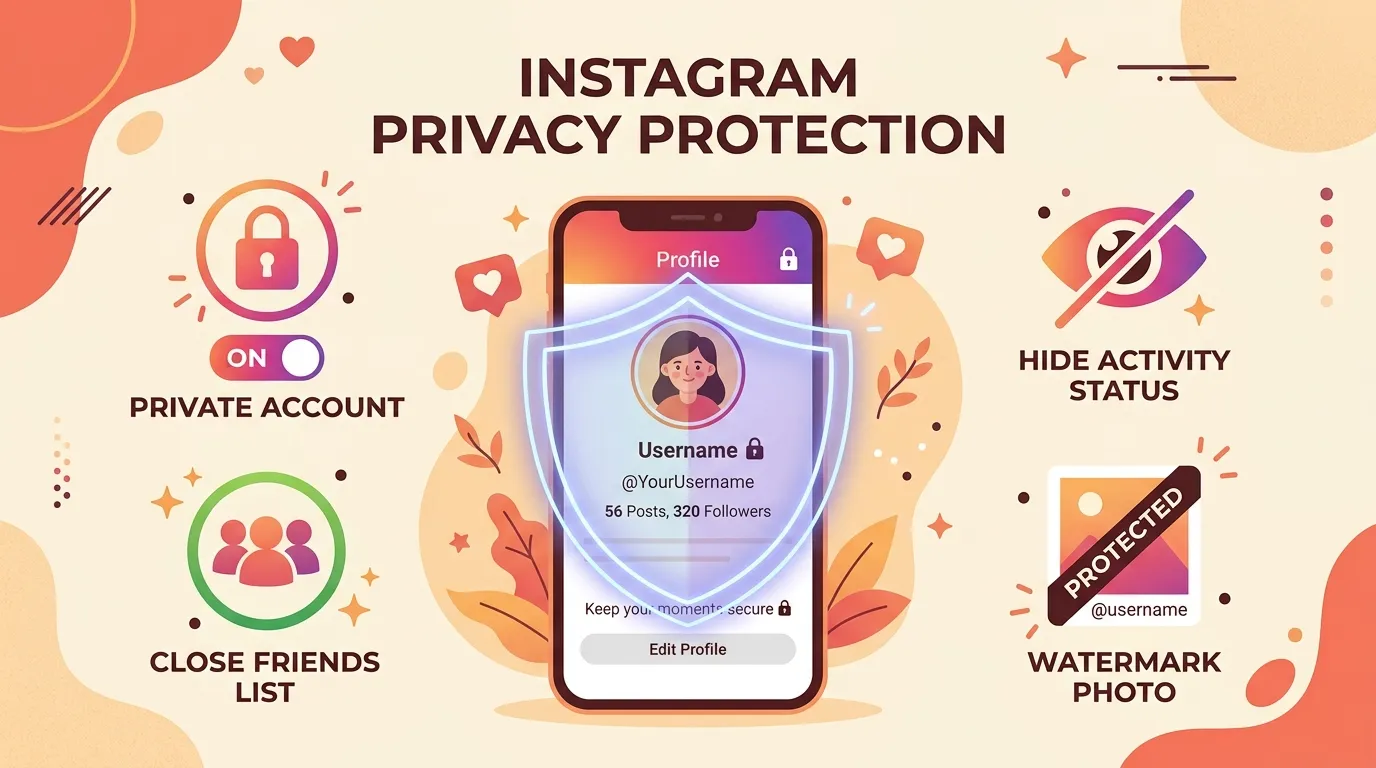
How to Protect Yourself

  • Private account: approve followers to limit potential recording.
  • Close Friends list: share sensitive content only with trusted people.
  • Restrict or block: discreetly limit interactions from suspicious users.
  • Disable resharing: turn off “Allow sharing to Story” for tighter control.
  • Avoid posting sensitive data: assume screen recording is always possible.
  • Report misuse: use in-app tools to remove leaked or misused content.
Want to control what people can infer from your activity (likes, views, patterns)? Start here: Can You Hide Your Likes on Instagram?

Screen recording on Instagram exists in a legal and ethical gray zone. While the platform does not block or notify such actions, the legality depends entirely on context — what is being recorded, how it is used, and whether consent was given. Understanding these boundaries is essential for both personal users and digital professionals in 2025.

Recording public content — such as Reels, feed posts, or public Stories — is generally allowed when used for personal reference or education. However, redistributing that content without permission, especially for commercial gain, can infringe on copyright, trademark, or personality rights.

For private content (Direct Messages, Close Friends Stories, or video calls), consent becomes critical. In many regions, including the European Union, Canada, and several U.S. states, recording private communications without consent can violate data protection or wiretap laws. This is particularly relevant under:

  • GDPR (EU): prohibits processing or storing personal data (including recordings) without explicit consent.
  • CCPA (California): requires notifying individuals when their data — including voice or video — is being collected or used.
  • Two-party consent laws (U.S.): in states like Florida, Pennsylvania, and Illinois, all participants must agree before recording a private conversation.

In short: personal use = usually fine, public sharing = legally risky without consent. Always review your country’s data laws before posting or reusing recorded material.

Example: Recording a brand’s public livestream to take marketing notes — acceptable. Uploading that same clip to your YouTube channel without permission — potential copyright infringement.

đź§­ Ethical Guidelines for Users & Creators

Legal permission does not equal ethical permission. Even if Instagram doesn’t restrict recordings, responsible users and creators respect digital boundaries and personal privacy. This includes not sharing private screenshots, sensitive messages, or behind-the-scenes clips without the other party’s approval.

  • Ask first: Always inform participants before recording a video call or private conversation.
  • Credit creators: Mention usernames or tag accounts when referencing recorded Reels, posts, or Stories.
  • Avoid humiliation: Never use screen recordings to mock, expose, or manipulate others — this can qualify as harassment.
  • Keep data secure: Store sensitive recordings offline or encrypted; never forward them through insecure apps.
  • Think reputation: Using someone’s private content for clout can permanently damage your personal or brand image.
Ethical boundary example: A creator records a private brainstorming session with a client and later includes snippets in a public vlog. Even if the client’s face isn’t shown, their voice or ideas may count as intellectual property — consent is still required.

đź’Ľ For Businesses, Brands & Agencies

In marketing and influencer collaborations, screen recordings are often used to document campaign progress, engagement metrics, or chat feedback. While this is common practice, these recordings should be limited to internal reporting or analytics — not for external publishing without written approval.

Agencies working with influencers should also include media consent clauses in contracts. This protects both sides and ensures recordings (such as DM conversations or live reviews) can be used legally in case studies or portfolio presentations.

đź”’ Protecting Yourself Legally

  • Always obtain written or verbal consent before recording private calls or content.
  • Use watermarks or copyright notices on your own videos to prevent misuse.
  • Keep track of original sources — screenshots or recordings may serve as proof if your content is stolen.
  • If your privacy was violated, report it through Instagram’s Help → Privacy & Security section or file a DMCA claim.

Instagram’s current system doesn’t automatically detect or flag screen recordings — meaning ethical use and personal accountability remain the only real safeguards. As technology evolves, platforms are expected to include more transparent user controls for consent-based content sharing.

Related reading: Learn how to identify unusual activity or privacy breaches in our detailed safety guide: How to Know If Someone Is Stalking You on Instagram.

Alternatives to Screen Recording

  • Save / Collections: bookmark posts & reels for private reference.
  • Story Archive: enable automatic archiving in settings.
  • Download Your Data: request a copy via Settings → Accounts Center → Your Information.
Heads up: If you see unusual viewing patterns, check our safety guide: How to Know If Someone Is Stalking You on Instagram

🚫 What Not to Do — How to Avoid Getting Flagged or Shadowbanned

Even though Instagram doesn’t officially notify users about screen recordings, irresponsible behavior around saved or shared content can still lead to account warnings, content removal, or even shadowbans. The app’s moderation systems rely on user reports and AI detection of privacy violations, copyright breaches, or harassment.

Never do the following:
  • Do not repost private material: Avoid uploading recorded Stories, Reels, or DMs that were meant for a limited audience — especially Close Friends content.
  • Do not use recordings to expose or shame others: Turning someone’s personal moment into public gossip is considered harassment and can result in removal or suspension.
  • Do not fake or edit recordings maliciously: Altered clips that misrepresent people or brands violate community integrity policies.
  • Do not monetize without permission: Selling or embedding recorded content in paid media or advertising breaches Meta’s Terms of Use.
  • Do not record underage users or sensitive data: This can trigger automatic moderation and permanent bans.

Instagram’s AI moderation doesn’t punish screen recording itself — it punishes how that recording is used. To stay compliant, always prioritize respect, consent, and transparency when sharing or discussing recorded material.

Creator insight: Want to stay safe and keep engagement high? Focus on ethical sharing, respect boundaries, and stay consistent with your posting style. If you’re unsure what’s acceptable, check the official Community Guidelines once in a while.
Further reading: Learn how your visibility and reputation are shaped by engagement signals, likes, and activity transparency here: Can You Hide Your Likes on Instagram.

FAQ — Instagram Screen Recording Notifications (2025)

Does Instagram notify screen recording?

No — Instagram does not notify users when someone records the screen across any major features: Stories, Reels, Posts, or Highlights. The last time Instagram experimented with screenshot notifications was back in 2018, and it was discontinued due to user backlash and privacy confusion.

In 2025, Instagram focuses more on transparency and user control — allowing users to limit who can view or reshare content — rather than punishing or tracking screen recording. Still, all content can be saved locally, so always treat public posts as permanently visible.

Does Instagram notify screen recording in DMs or chats?

Regular DMs (text, shared links, photos, and videos) can be recorded without generating any alert. However, for disappearing photos and videos sent in “View Once” or “Allow Replay” mode, Instagram may show a small camera flash icon to the sender — a light indicator that the content was captured.

This warning doesn’t always appear, especially on older Android devices or when third-party recorders are used. If privacy is your concern, avoid sending sensitive media through Instagram DMs entirely — use encrypted messengers like Signal or WhatsApp instead.

Learn how message deletion and “unsent” notifications really work here: Can You See Who Unsent a Message on Instagram.
Does Instagram notify screen recording of Stories or Close Friends?

No, Instagram does not notify you if someone records a Story, whether public, private, or shared with Close Friends. Stories are treated like any other visual content — open to viewing and saving during their 24-hour lifespan.

However, leaking or reposting Close Friends Stories without permission is considered a privacy breach and can lead to reports or account restrictions. Even without notifications, Instagram’s moderation team can take action if users report content sharing private Stories outside intended circles.

Pro tip: Use Story Controls → “Hide Story From” to exclude specific followers or manage your Close Friends list.
Does Instagram notify screen recording Reels or Posts?

No, Reels and feed posts can be recorded freely — Instagram treats these as public, shareable media. Screen recording Reels is common among social media professionals who study trends or inspiration for editing styles.

The only catch: if you repost someone else’s recorded Reel or use it commercially without credit, that can violate copyright or brand impersonation policies. Creators can file DMCA claims for unauthorized reuploads, even if the original clip was recorded legally.

Want to preserve video quality when reposting or saving Reels? Read: Why Does Instagram Ruin Photo Quality.
Does Instagram notify screen recording video calls?

No — Instagram does not alert users when a video call is being recorded. However, video calls fall under the category of private communication, so recording without consent may break local privacy or data protection laws.

Remember: while the app doesn’t block recording, users can still report misuse, and Meta can act if the recording violates its Harassment, Bullying, or Privacy guidelines. For professional calls or collaborations, always announce that you’re recording — this builds transparency and avoids conflicts.

Example: A creator records a paid partnership call with a client — acceptable if both agree. Recording a private argument without consent, then sharing it online, is a privacy violation.
How can I stop others from recording my content?

You can’t completely prevent screen recording, but you can make it less likely or less harmful by adjusting your privacy settings and sharing behavior.

  • Switch to a private account — approve new followers manually.
  • Use Close Friends for sensitive Stories and limit who sees them.
  • Turn off resharing to stop people from sharing your posts or Stories to their own feeds.
  • Report misuse of your content under Settings → Help → Report a Problem → Privacy or Copyright.
  • Use watermarks on photos or videos if you’re a creator protecting your visuals.
If you suspect obsessive viewing patterns or boundary-crossing behavior, learn how to detect it: How to Know If Someone Is Stalking You on Instagram.
Can screen recording lead to account suspension?

Not by itself. Screen recording isn’t a bannable action, but using or publishing those recordings in ways that violate privacy, copyright, or harassment rules can lead to warnings or bans.

Instagram’s moderation systems rely on user reports. If someone claims you shared private content without consent, or misused recordings to defame others, the platform can restrict your account or delete posts.

Quick tip: Always ask permission before publishing any recorded clip that includes another person’s voice, image, or DMs — it’s both legal and ethical protection for you.
{ "@context": "https://schema.org", "@type": "Article", "headline": "Does Instagram Notify Screen Recording in 2025? Full Privacy & Safety Guide", "description": "Clear, updated explanation of whether Instagram notifies screen recordings across Stories, Reels, DMs, Highlights, Close Friends, and video calls — plus practical privacy tips for 2025.", "author": { "@type": "Organization", "name": "FiveBBC" }, "publisher": { "@type": "Organization", "name": "FiveBBC", "logo": { "@type": "ImageObject", "url": "https://media.fivebbc.com/wp-content/panel/v2/images/trending-up-white.svg" } }, "mainEntityOfPage": { "@type": "WebPage", "@id": "https://fivebbc.com/blog/does-instagram-notify-screen-recording" }, "image": [ "https://storage.perfectcdn.com/7de874/u7d5yifnpu1j9sp9.png" ], "inLanguage": "en", "datePublished": "2025-10-21", "dateModified": "2025-10-21" } :root{ --bg:#ffffff; --text:#1f2937; --muted:#6b7280; --line:#e5e7eb; --soft:#f8fafc; --accent:#0ea5e9; /* брендовый */ --accent-ink:#0b749f; --note:#eef6ff; --warn:#fff7ed; --tip:#ecfdf5; --shadow:0 10px 24px rgba(0,0,0,.08); --radius:14px; } html,body{background:var(--bg); color:var(--text);} .article{ margin: 0 auto; padding: 28px 20px 96px; font-family: "Segoe UI", Roboto, Helvetica, Arial, sans-serif; line-height: 1.75; font-size: 17px; } .hero h1{ font-size: clamp(28px, 4vw, 42px); line-height: 1.25; margin: 12px 0 8px; letter-spacing: -0.02em; } .subtitle{ color: var(--muted); margin: 0 0 18px; } .hero-figure{ margin: 18px 0 8px; } .hero-figure img{ width: 100%; height: auto; border-radius: var(--radius); box-shadow: var(--shadow); } .hero-figure figcaption{ color: var(--muted); font-size: 14px; margin-top: 8px; } /* Tip block — improved with brighter blue accent */ .tip { background: linear-gradient(180deg, #e0f5ff 0%, #f8fbff 100%); border: 1px solid #bae6fd; padding: 16px 18px; border-radius: var(--radius); margin: 18px 0; box-shadow: 0 3px 10px rgba(14, 165, 233, 0.08); } .tip strong { color: #0284c7; } .tip a { color: #0369a1; text-decoration: none; border-bottom: 1px dashed #7dd3fc; } .tip a:hover { color: #0ea5e9; border-bottom-color: #0ea5e9; } /* PROMO (ненавязчивый блок) */ .promo{ margin: 22px 0 28px; } .promo-inner{ background: linear-gradient(180deg, #f0f9ff 0%, #fff 100%); border: 1px solid var(--line); border-radius: var(--radius); padding: 18px 18px 20px; box-shadow: var(--shadow); position: relative; } .promo-badge{ position: absolute; top: -10px; left: 16px; background: var(--accent); color: #fff; font-size: 12px; padding: 4px 10px; border-radius: 999px; box-shadow: var(--shadow); } .promo h3{ margin: 8px 0 6px; font-size: 20px; } .promo p{ color: var(--text); margin: 0 0 12px; } .btn{ display: inline-block; padding: 10px 14px; border-radius: 10px; text-decoration: none; font-weight: 600;} .btn-primary { background: linear-gradient(180deg, #e0f7ff 0%, #b3e5fc 100%); color: #0369a1; font-weight: 600; text-align: center; display: inline-block; min-width: 200px; padding: 12px 24px; border: 1px solid #7dd3fc; border-radius: 12px; cursor: pointer; transition: all 0.25s ease; box-shadow: 0 3px 12px rgba(3, 105, 161, 0.15); } .btn-primary:hover { background: linear-gradient(180deg, #b3e5fc 0%, #7dd3fc 100%); color: #0c4a6e; transform: translateY(-1px); box-shadow: 0 6px 18px rgba(14, 165, 233, 0.25); } /* TOC */ .toc{ background: var(--soft); border: 1px solid var(--line); border-radius: var(--radius); padding: 16px 18px; margin: 26px 0 34px; } .toc h2{ margin: 0 0 10px; font-size: 18px; } .toc ol{ margin: 0; padding-left: 18px; columns: 2; column-gap: 28px; } @media (max-width: 720px){ .toc ol{ columns: 1; } } .toc a{ color: var(--text); text-decoration: none; border-bottom: 1px dashed var(--line); } .toc a:hover{ color: var(--accent); border-bottom-color: var(--accent); } /* Utility blocks */ .note, .warn, .tip{ padding: 14px 16px; border-radius: var(--radius); border: 1px solid var(--line); margin: 16px 0; } .note{ background: var(--note); } .warn{ background: var(--warn); } .tip{ background: var(--tip); } /* Figure inset */ .inset{ margin: 20px 0; } .inset img{ width: 100%; height: auto; border-radius: var(--radius); box-shadow: var(--shadow); } .inset figcaption{ color: var(--muted); font-size: 14px; margin-top: 8px; } /* Video */ .video-block{ margin: 20px 0; background: var(--soft); border: 1px solid var(--line); border-radius: var(--radius); padding: 14px; } .video-aspect{ position: relative; width: 100%; padding-top: 56.25%; border-radius: 12px; overflow: hidden; box-shadow: var(--shadow); background: #000; } .video-aspect iframe{ position: absolute; inset: 0; width: 100%; height: 100%; } .video-caption{ color: var(--muted); font-size: 14px; margin: 8px 2px 0; } /* Lists */ .checklist li{ margin: 6px 0; } .alt-list li{ margin: 6px 0; } /* FAQ */ #faq details{ background: var(--soft); border: 1px solid var(--line); border-radius: var(--radius); margin: 10px 0; padding: 12px 16px; } #faq summary{ cursor: pointer; font-weight: 600; } #faq .faq-body{ margin-top: 10px; color: var(--text); } /* Related */ .related{ margin-top: 28px; background: var(--soft); border: 1px solid var(--line); border-radius: var(--radius); padding: 16px 18px; } .related h2{ margin-top: 0; } .rel-list{ list-style: none; padding: 0; margin: 10px 0 0; display: grid; grid-template-columns: 1fr 1fr; gap: 8px 18px; } @media (max-width: 720px){ .rel-list{ grid-template-columns: 1fr; } } .rel-list a{ display: inline-block; text-decoration: none; color: var(--text); border-bottom: 1px dashed var(--line); } .rel-list a:hover{ color: var(--accent); border-bottom-color: var(--accent); } /* Outro */ .outro{ margin-top: 22px; padding-top: 8px; color: var(--muted); } /* Helpers */ .muted{ color: var(--muted); } .small{ font-size: 14px; } /* === CLEAN TOC (unified across articles) === */ .toc { margin: 40px auto; background: #fff; padding: 28px 32px; border-radius: var(--radius-lg); border: 1px solid var(--border); box-shadow: 0 4px 14px rgba(0,0,0,0.03); } .toc-title { font-size: 1.15rem; font-weight: 600; color: #111; margin-bottom: 18px; padding-bottom: 8px; border-bottom: 1px solid rgba(0,0,0,0.08); } .toc-list-clean { list-style: none; padding: 0; margin: 0; display: flex; flex-direction: column; gap: 8px; } .toc-list-clean li { position: relative; padding-left: 14px; border-left: 2px solid rgba(88,101,242,0.15); transition: all 0.2s ease; } .toc-list-clean li:hover { border-left-color: var(--accent); } .toc-list-clean a { display: block; font-size: 0.97rem; font-weight: 500; color: var(--text); text-decoration: none; padding: 4px 0; transition: all 0.2s ease; } .toc-list-clean a:hover { color: var(--accent-2); transform: translateX(3px); }

Frequently Asked Questions

Does Instagram notify screen recording?
No —Instagram does not notifyusers when someone records the screen across any major features: Stories, Reels, Posts, or Highlights. The last time Instagram experimented with screenshot notifications was back in 2018, and it was discontinued due to user backlash and privacy confusion.In 2025, Instagram focuses more ontransparency and user control— allowing users to limit who can view or reshare content — rather than punishing or tracking screen recording. Still, all content can be saved locally, so always treat public posts as permanently visible.
Does Instagram notify screen recording in DMs or chats?
Regular DMs (text, shared links, photos, and videos) can be recorded without generating any alert. However, fordisappearing photos and videossent in “View Once” or “Allow Replay” mode, Instagram may show a smallcamera flash iconto the sender — a light indicator that the content was captured.This warning doesn’t always appear, especially on older Android devices or when third-party recorders are used. If privacy is your concern, avoid sending sensitive media through Instagram DMs entirely — use encrypted messengers like Signal or WhatsApp instead.Learn how message deletion and “unsent” notifications really work here:Can You See Who Unsent a Message on Instagram.
Does Instagram notify screen recording of Stories or Close Friends?
No, Instagram does not notify you if someone records aStory, whether public, private, or shared with Close Friends. Stories are treated like any other visual content — open to viewing and saving during their 24-hour lifespan.However, leaking or repostingClose Friends Storieswithout permission is considered a privacy breach and can lead to reports or account restrictions. Even without notifications, Instagram’s moderation team can take action if users report content sharing private Stories outside intended circles.Pro tip:Use Story Controls → “Hide Story From” to exclude specific followers or manage your Close Friends list.
Does Instagram notify screen recording Reels or Posts?
No,Reels and feed postscan be recorded freely — Instagram treats these as public, shareable media. Screen recording Reels is common among social media professionals who study trends or inspiration for editing styles.The only catch: if yourepost someone else’s recorded Reelor use it commercially without credit, that can violatecopyright or brand impersonation policies. Creators can file DMCA claims for unauthorized reuploads, even if the original clip was recorded legally.Want to preserve video quality when reposting or saving Reels? Read:Why Does Instagram Ruin Photo Quality.
Does Instagram notify screen recording video calls?
No — Instagram does not alert users when a video call is being recorded. However, video calls fall under the category ofprivate communication, so recording without consent may break local privacy or data protection laws.Remember: while the app doesn’t block recording, users can still report misuse, and Meta can act if the recording violates itsHarassment, Bullying, or Privacyguidelines. For professional calls or collaborations, always announce that you’re recording — this builds transparency and avoids conflicts.Example:A creator records a paid partnership call with a client — acceptable if both agree. Recording a private argument without consent, then sharing it online, is a privacy violation.
How can I stop others from recording my content?
You can’t completely prevent screen recording, but you can make it less likely or less harmful by adjusting yourprivacy settingsandsharing behavior.Switch to aprivate account— approve new followers manually.UseClose Friendsfor sensitive Stories and limit who sees them.Turn off resharingto stop people from sharing your posts or Stories to their own feeds.Report misuseof your content under Settings → Help → Report a Problem → Privacy or Copyright.Usewatermarkson photos or videos if you’re a creator protecting your visuals.If you suspect obsessive viewing patterns or boundary-crossing behavior, learn how to detect it:How to Know If Someone Is Stalking You on Instagram.
Can screen recording lead to account suspension?
Not by itself. Screen recording isn’t a bannable action, but using or publishing those recordings in ways thatviolate privacy, copyright, or harassment rulescan lead to warnings or bans.Instagram’s moderation systems rely onuser reports. If someone claims you shared private content without consent, or misused recordings to defame others, the platform can restrict your account or delete posts.Quick tip:Always ask permission before publishing any recorded clip that includes another person’s voice, image, or DMs — it’s both legal and ethical protection for you.

FiveBBC Team

Social Media Growth Experts

The FiveBBC team brings over 9 years of experience in social media marketing. We share actionable insights, growth strategies, and platform updates to help creators, businesses, and agencies succeed on social media.

Ready to Grow Your Social Media?

Join thousands of satisfied customers today

Get Started — It's Free