Scale your reach before you publish
Planning a carousel campaign? If your goal is faster discovery and stronger engagement, consider a responsible boost through Instagram growth services — from authentic follower packages to targeted views. When used strategically, this jumpstarts organic reach and builds early traction for your next storytelling carousel.
- Blend growth with authentic content: carousels, Reels, Stories, and Lives.
- Track saves, shares, and swipe completion for quality signals.
Carousel posts as storytelling tools: using multi-slide posts to deepen Instagram engagement
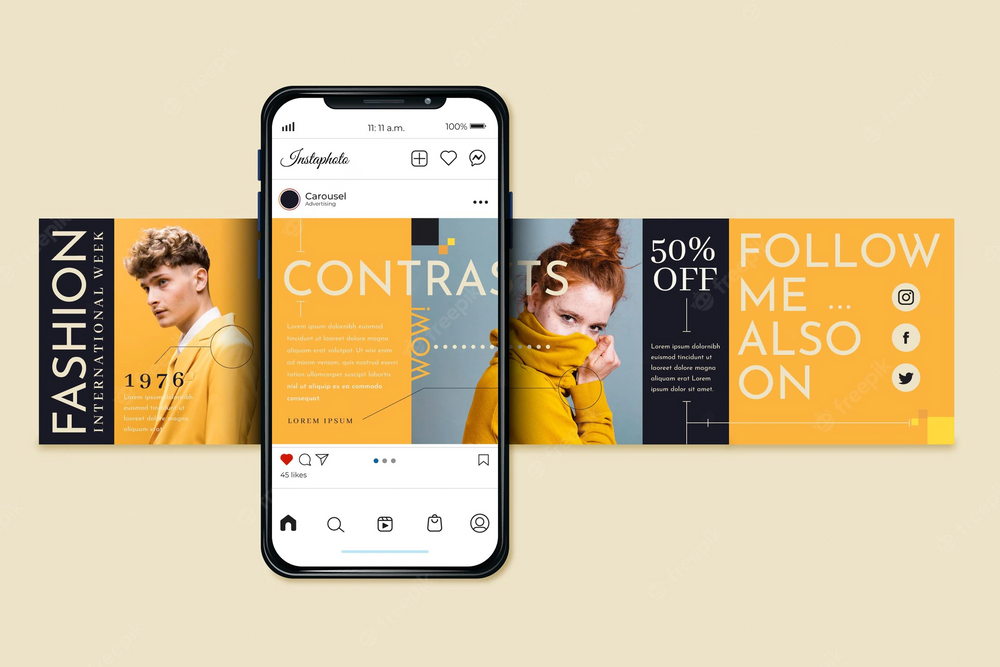
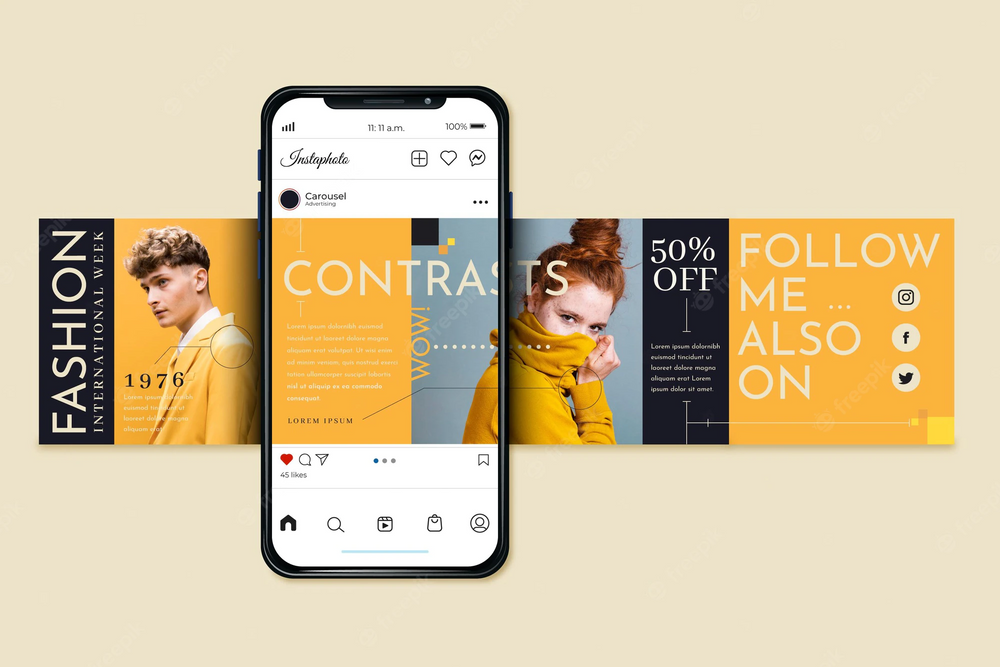
Instagram carousels transform a single post into a swipeable narrative. Each swipe is an action — which increases dwell time and signals relevance to the algorithm. That’s one reason why multi-slide Instagram posts engagement often outperforms single-image content.
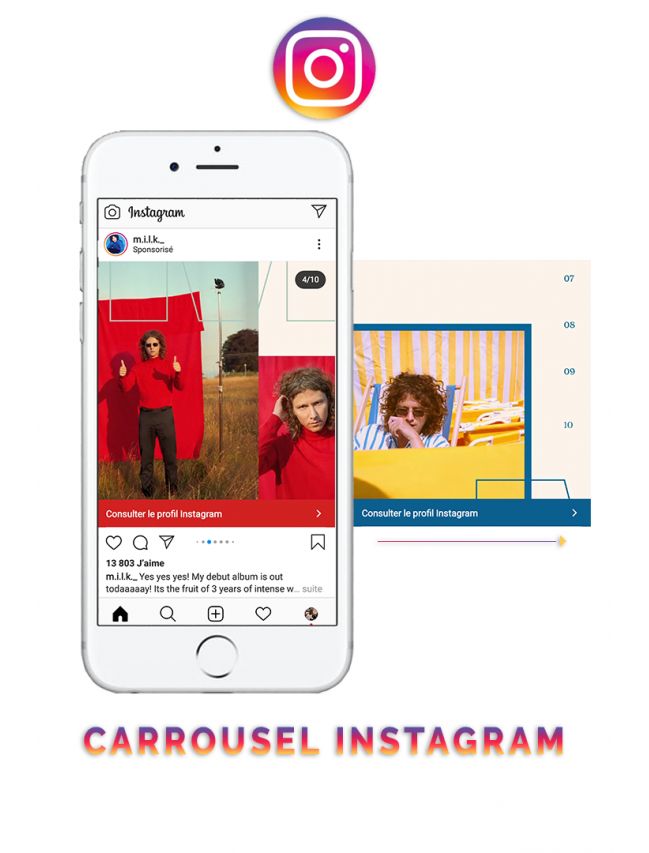
Example: Minimal carousel design with consistent spacing and visual flow.
This guide shows how to use Instagram carousel posts for storytelling with a repeatable structure, friendly design principles, and data-backed optimization. We’ll also link to practical primers like how to use Instagram (complete guide), privacy-savvy tips such as how to hide your likes on Instagram, and creative production workflows including how to make a collage on Instagram Story.
Structure of an effective Instagram carousel
High-retention carousels follow a simple arc: hook, context, development, insight, and call-to-action — wrapped in clean layouts that make swiping feel effortless. Use the following 10-slide blueprint:
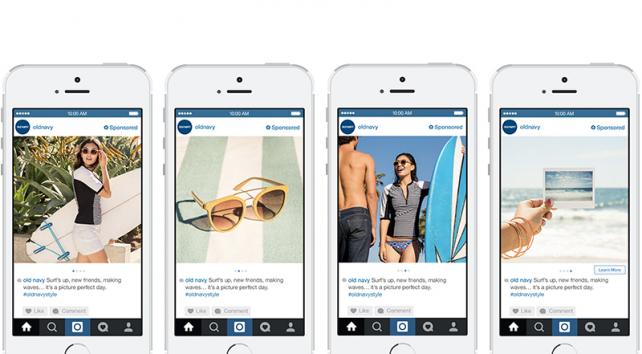
Example: Story-driven carousel flow using clear hierarchy and emotional visuals.
Slides 1–2: Hook & Context
- Hook: Bold promise or counterintuitive question.
- Context: Clarify the problem or curiosity gap you’ll close.
Slides 3–7: Development
- Step-by-step guide, behind-the-scenes, or myth vs. fact sequence.
- Alternate rational proof (data) with emotional proof (story beats).
Slide 8: Big insight
Deliver the core takeaway — the moment users screenshot, save, or share.
Slides 9–10: CTA & Brand
Invite comments or saves; close with a brand slide (logo, tagline, next step).
| Slide | Purpose | Example |
|---|---|---|
| 1 | Hook | “The 10-slide story that doubled our bookings” |
| 2 | Context | “Most cafés post latte pics. We tried stories.” |
| 3–7 | Development | Bean sourcing → roasting → signature drink → reviews |
| 8 | Insight | “Authenticity > polish: process posts = saves” |
| 9 | CTA | “Comment your favorite roast👇” |
| 10 | Brand | @BrewAndBloom • “More stories tomorrow” |
Starting from visuals? Explore collage story layouts. The same rhythm works beautifully for carousels — especially when alternating image-only slides with text-forward slides.
How to hook readers with the first carousel slide
Your first slide decides everything. Users make a swipe-or-scroll choice in under two seconds. Keep the headline short (4–8 words), use high-contrast typography, and hint at a transformation or reveal.
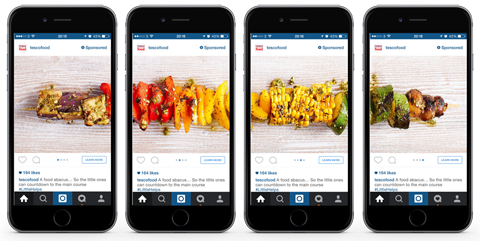
Example: Grid-based composition illustrating balance and brand consistency.
Swipe-winning headline patterns
- “5 storytelling tricks top creators use in carousels”
- “We fixed our engagement with one slide. Here’s how.”
- “Stop posting single pics. Do this instead.”
Choose one clear promise
Make the benefit visible at a glance: “X in Y steps”, “From A to B”, “Do/Don’t” contrasts.
Maximize legibility
Large font sizes, short lines, strong contrast, and generous spacing boost swipe intent.
Establish rhythm
Alternate visual-heavy and text-light slides to keep momentum and reduce fatigue.
Want platform fundamentals and safe behaviors? See does Instagram notify screen recording and can you see who unsent a message — helpful when planning community screenshots or DM-based storytelling.
Instagram Carousel Content Strategy for Small Businesses
For small businesses, Instagram carousel posts offer one of the most powerful and affordable storytelling tools. Through multi-slide storytelling, brands can showcase authenticity, build trust, and increase audience engagement — all without requiring a big marketing budget.
Whether you run a café, fitness studio, handmade store, or local consulting service, an effective carousel content strategy allows you to highlight your brand personality, share customer stories, and encourage followers to stay longer and interact with your posts.
Instagram Carousel Ideas for Cafés & Bakeries
For cafés and bakeries, visual storytelling is a perfect way to highlight your craftsmanship, atmosphere, and brand story. Well-designed Instagram carousel posts can make your audience crave more than just your coffee — they’ll connect emotionally with the story behind every cup.
- Show your “bean-to-cup” journey: from sourcing local beans to creating latte art masterpieces.
- Introduce your baristas: share short mini-stories about their favorite brews or creative moments.
- Transform reviews into content: turn 5-star testimonials into a carousel series — one quote per slide with a product photo.
- Highlight seasonal menus: showcase limited-edition pastries and “behind-the-counter” rituals that humanize your brand.
- Leverage user-generated content (UGC): share posts from your local customers and tag them to increase reach organically.
💡 Pro tip: End your carousel with a clear call-to-action — for example, “Visit us this weekend ☕” or include a limited-time coupon code to drive more foot traffic and engagement.
Instagram Carousel Ideas for Fitness Studios & Coaches
For fitness studios and personal coaches, Instagram carousel posts are a powerful way to motivate your audience, educate followers, and showcase authentic transformation stories. Through progress-based storytelling, you build both credibility and emotional connection.
- Share real transformation journeys: show the “before → milestones → after” process (always with client permission).
- Educate with “Myth vs Fact” series: debunk common fitness misconceptions in a 5-slide carousel format.
- Create mini tutorials: for example, “How to stretch in 5 slides” or “Quick morning workout routine”.
- Feature success stories: highlight real clients in short, visual storytelling carousels that inspire others.
- Engage your audience: use polls or question stickers in Stories to gather ideas for future carousel topics.
📈 Example: PulseLab Studio increased engagement by 40% after launching a weekly “Mini Guide” carousel series that mixed quick tips with motivational stories.
Instagram Carousel Ideas for Artisans & Designers
For artisans, creators, and designers, Instagram carousels are a perfect medium to transform your creative process into an engaging visual story. Each slide can capture a key stage — from the initial idea to the final masterpiece — allowing followers to appreciate your craftsmanship and authenticity.
- Show your full creative journey: sketch → materials → making → finished piece — transparency builds trust and curiosity.
- Share “Repair & Care” tips: helpful content encourages followers to save and share your carousels.
- Reveal limited-edition drops: showcase the full path — concept → prototype → launch → customer reviews.
- Feature client experiences: include testimonials, unboxing moments, or behind-the-scenes shots in final slides.
- Keep branding consistent: use signature colors, fonts, and a recognizable “final slide” for visual identity and recall.
💡 Pro tip: Add a call-to-action like “Swipe to see how we made this ring ✨” or “Discover the full creative journey” to boost carousel completion rates and engagement.
Instagram Carousel Strategies for Consultants & Agencies
For consultants, marketers, and creative agencies, Instagram carousel posts act as mini-presentations — easy to digest, visually engaging, and highly shareable. With the right storytelling approach, carousels can position your brand as a trusted thought leader and boost client credibility.
- Publish case study carousels: combine data visuals, key strategies, and measurable results to demonstrate expertise.
- Share educational frameworks: examples like “Our 5-Step Content Audit” or “How We Doubled Conversions” perform well.
- Visualize client testimonials: mix a short quote, company logo, and outcome metric in a clean, branded design.
- Build authority with personal insights: use carousels to share behind-the-scenes processes, lessons learned, or expert opinions.
- End with a strong CTA: invite readers to “Book a Free Consultation” or “Download Our Mini Guide” to convert interest into action.
💡 Strategy tip: Break complex topics into multi-part carousel series and interlink them. This approach encourages binge reading, increases retention, and strengthens your professional visibility.
Every industry thrives when its story feels personal and authentic. For small businesses, Instagram carousels are more than just a format — they’re an official tool recognized by Meta for building trust, connection, and brand identity.
When you combine authentic storytelling techniques, consistent branding, and emotionally engaging visuals, your content turns followers into loyal advocates who genuinely care about your journey. Learn more about best practices directly from Instagram for Business or explore advanced strategies on Later Blog.
Protect client privacy in stories. Learn about Vanish Mode to control message visibility when collecting testimonials.
How to Design a Perfect Instagram Carousel Post
In Instagram’s official creative recommendations, consistency always beats complexity. Stick to a limited color palette, strong typography, and clear visual hierarchy. Every slide in your Instagram carousel post should feel like a continuation of one cohesive story — not a collection of disconnected posters.
Layout & Composition
- Keep padding consistent: align text boxes precisely to maintain balance and professional polish.
- Guide the viewer’s eye: use arrows, overlapping shapes, or motion cues to signal “Swipe →”.
- Use the correct format: 1080×1080 or 1080×1350 px, as recommended by Meta’s image guidelines.
Inspiring Instagram Carousel Designs
Here are a few real-world examples of effective Instagram carousel storytelling layouts — clean, balanced, and visually consistent across slides. Each example follows the principles described above in the Design Section.
Typography & Color
- Choose legible fonts: sans-serif families like Poppins or Inter perform best on mobile screens.
- Maintain brand harmony: use your primary colors plus one accent tone for calls-to-action.
- Ensure accessibility: maintain a minimum contrast ratio of 4.5:1 for text visibility (WCAG reference).
Images & Media
- Optimize images: compress moderately and keep file sizes under 1 MB per slide for faster loading.
- Use descriptive alt text: include relevant keywords like “storytelling”, “carousel”, and “Instagram engagement”.
- Balance rhythm: alternate between photo and text-based slides to keep attention and improve flow.
For privacy-friendly visuals, review this highlights-screenshot guide.
Best way to write captions for carousel posts
The caption extends your story. Treat it as a closing argument: summarize the journey, add insight, and invite conversation. Use natural language with embedded keywords like instagram carousel storytelling and how to tell a story through carousel posts.
- Hook line: “The 3 mistakes ruining your carousels (and fixes).”
- Deliver value: Share data, behind-the-scenes context, or quick wins.
- End with CTA: “Which slide was your favorite? Comment # below and save for later.”
Don’t overload hashtags or repeat keywords — Instagram penalizes spam patterns. For stylistic inspiration see this 2025 guide on Vanish Mode.
Instagram carousel metrics that really matter
Data turns creativity into strategy. Track and analyze these core metrics weekly to optimize carousel vs single post engagement rate 2025.
| Metric | Meaning | Optimization idea |
|---|---|---|
| Engagement rate | (Likes + Comments + Saves) ÷ Followers × 100 | Test hooks and CTAs; simplify slide text. |
| Swipe completion | % of users who reach the last slide | Cut filler; strengthen slides 1–2 and 8. |
| Save ratio | Saves ÷ Impressions × 100 | Add checklists or frameworks to boost saves. |
| Share rate | Shares ÷ Impressions × 100 | Use emotionally resonant insights on slide 8. |
Compare results across content types: single image, video, carousel. Brands often see 1.8× more saves and 2.3× more comments with carousels.
Best time to post carousel on Instagram (2025)
Timing isn’t everything, but it sets the stage for fast early engagement. For most small businesses, the best windows are mid-week (Tue–Thu), late morning to early afternoon in your primary audience’s time zone. Start with these ranges and adjust using Insights:
- 11:00–14:00, Tue–Thu — strong lunch-scroll windows.
- 18:00–20:00, Mon–Thu — after-work browsing and saving.
- Avoid weekend mornings for B2B; test Sundays for lifestyle brands.
Post your carousel, then republish key slides to Stories with a “Swipe to read” sticker for a second traffic wave within the first 2–4 hours.
Best collage apps for Instagram Stories + video collages
Collages are a fast way to prototype carousel narratives. Start with native tools, then upgrade to apps for layered motion, masking, and typography — especially when building video collages for teaser slides or slide 8 “aha” moments.
Built-in Layout in Stories (official)
The native Layout tool inside Stories lets you assemble clean grids without additional apps. It enforces tidy spacing and predictable alignment, perfect for quick “before → after → results” narratives. Learn the basics here: How to make collage on Instagram Story.
- Open Stories → tap Layout.
- Pick a grid, add photos/screens, and adjust framing.
- Export the Story frames and reuse as carousel slides.
When to go beyond native tools
- Need layered graphics, animated text, or masked transitions.
- Want to merge portrait video + screenshots in one frame.
- Building a video collage to highlight process beats.
Simple steps: make a video collage for your carousel (friendly flow)
1) Outline your beats
List 4–6 micro-moments (A: context, B: step, C: reveal). Each beat = one short clip or still.
2) Gather assets
Capture vertical clips (1080×1920), screenshots, and logos. Keep each clip 2–4s for pace.
3) Build the collage
Use the native Layout or your favorite editor to place videos and images into a clean grid.
4) Add motion sparingly
Animate only headings and arrows. Keep background static so the message remains readable.
5) Export & compress
Export at 1080×1350 (preferred portrait). Test on mobile and ensure captions remain legible.
Official feature behavior can change. For authoritative UI references, see Instagram Help (external): help.instagram.com.
Prefer a quick walkthrough? Watch this short tutorial on YouTube showing how creators combine images and clips into swipe-worthy carousels.
Instagram carousel storytelling examples (2025)
Local café “Brew & Bloom”
10-slide “bean-to-cup” story: sourcing → roasting → signature drink → reviews → CTA.
- Lift: +45% engagement vs. single-image posts.
- Key: process slides (3–7) that invite saves.
Fitness studio “PulseLab”
Transformations with consent; “myth vs fact” mini-series; weekly routines as carousels.
- Lift: +60% saves; +35% trial DMs.
- Key: high-contrast cover with a clear promise.
Handmade brand “LunaCraft”
Sketch → materials → making-of → final product → client quotes → CTA to shop.
- Lift: +75% comments; repeat purchases up.
- Key: emotional “why we craft” slide 8.
Powerful FAQ: Carousel storytelling & engagement
Yes — and significantly. Instagram’s algorithm values user actions that indicate deeper engagement. Each swipe in a carousel counts as a micro-interaction, increasing total dwell time on your post.
- Educational carousels perform best, often earning 1.5–2× more saves and shares.
- Story-based sequences get featured more frequently on Explore because users complete more slides.
- Emotional storytelling — showing transformation, humor, or empathy — boosts shareability.
To strengthen organic reach, focus on narrative flow: the more seamless your story, the more swipes you’ll earn.
The sweet spot is 7–10 slides. This allows you to develop tension, deliver insights, and close with a strong call to action without losing reader focus.
- 5 slides or fewer: Best for quick tutorials and “Before → After” reveals.
- 7–8 slides: Ideal for storytelling sequences with one insight per slide.
- 10 slides: Perfect for guides, frameworks, or multi-step journeys.
If your content exceeds 10 slides, split it into “Part 1 / Part 2” and cross-link using CTAs.
Absolutely. Mixing media — combining photos, short videos, and graphics — keeps your audience engaged longer and makes each swipe feel dynamic. Subtlety matters: the goal is to tell a story, not to overwhelm. The Instagram algorithm doesn’t penalize hybrid content; in fact, it often rewards carousel storytelling formats that encourage users to watch every slide through to the end.
A well-structured instagram carousel storytelling post blends both static and motion visuals strategically: the first slide hooks, the middle slides build momentum, and the final slide delivers the emotional payoff or call-to-action. When you optimize carousel posts for maximum engagement, focus on keeping transitions natural and messages clear.
Multi-slide formats are particularly powerful for creators, educators, and small businesses. They allow you to transform a single idea into a micro-story — whether it’s a “Before → After” reveal, a mini tutorial, or a case study. For example, if you’re showing a process (like a product being crafted or a project evolving), consider alternating static images with 3–5 second clips. This mix improves multi-slide instagram posts engagement and keeps viewers swiping instead of scrolling away.
To master how to use instagram carousel posts for storytelling, test one motion element per slide — a blinking arrow, subtle pan, or animated headline. Avoid autoplay chaos. The best carousel post ideas for creators use video to emphasize emotion, not distract from it.
- Use short muted clips as transitions or reveals between static slides.
- Keep video duration under 4 seconds to maintain swipe rhythm.
- Test looping “micro-motions” like blinking arrows or text fades — they add polish without distraction.
Always test on mobile before posting to ensure aspect ratios and text cropping look consistent.
Privacy compliance is crucial when repurposing user content. Always request written consent before featuring customer messages or faces in carousels.
- Use anonymized screenshots for testimonials.
- Blur or crop profile names when showing DM snippets.
- For sensitive features like vanish messages or notifications, read: Does Instagram notify screen recording, Can you see who unsent a message, and How to turn off Vanish Mode.
Being transparent and respectful strengthens your brand’s trust — a key driver of engagement and long-term growth.
The most effective calls-to-action (CTAs) in Instagram carousel storytelling are those that feel natural, specific, and closely aligned with the user’s journey. A good CTA doesn’t interrupt the story — it completes it. Each multi-slide post should lead viewers toward one clear, low-effort action that extends the conversation: saving the post, commenting an opinion, or visiting your profile for more insights.
When planning your carousel content strategy for small businesses, think of CTAs as narrative touchpoints. For example, a café could end its carousel with “Save this recipe for your next brunch ☕”, while a design studio might write “Tag a friend who needs this branding checklist 🎨.” These prompts not only drive engagement but also strengthen brand identity by making your tone conversational and human.
In terms of copywriting, the best way to write captions for carousel posts is to support your CTA visually and contextually. Use the last slide to repeat your call-to-action, but make it feel like part of the story — not a sales pitch. Phrases like “Want part 2? Follow for more design tips,” or “Comment your favorite slide below 👇” are simple, yet powerful triggers that increase completion rates and audience interaction.
To optimize carousel posts for maximum engagement, always test your CTAs across different tones — motivational, educational, and playful. Analyze which phrasing gets the most saves, shares, and replies. According to creators who master how to use instagram carousel for storytelling, personalized CTAs (“Tag your teammate who needs this”) outperform generic ones by up to 35%.
For creators looking for creative storytelling carousel ideas, CTAs can also double as emotional anchors: “Swipe to see how this story ends,” or “Keep reading — the last slide will surprise you.” They keep curiosity alive, which boosts completion rates — one of the strongest signals for Instagram’s algorithm.
- “Comment your favorite slide 👇” — sparks discussion.
- “Save this for later 💾” — signals high content value to the algorithm.
- “Tag a friend who needs this 📲” — creates organic distribution.
CTAs work best when placed on the final slide and echoed once in your caption.
Repurposing written content into carousels is one of the fastest ways to scale Instagram storytelling. Convert your articles, guides, or case studies into swipeable micro-lessons.
- Pick five core ideas from your blog post — each becomes one slide.
- Simplify language into visual headlines and quick lists.
- Add examples or quotes to make each slide actionable.
- Close with a recap + CTA linking back to the full post.
For reference, revisit this beginner’s guide to align tone and structure before adapting your long-form content.
Consistency beats frequency. For most small creators and brands, aim for 2–3 carousels per week, balanced with Stories and Reels.
- Mon–Wed: Educational or storytelling posts (audience is most attentive).
- Thu–Fri: Lighter or entertaining content to end the week.
- Sun: Inspirational or recap carousels — high save rates.
Overposting can dilute performance. Track reach and saves — if they drop, extend posting intervals and focus on quality.
Even strong stories can underperform due to small design errors. Avoid:
- Overcrowded slides — less is more.
- Inconsistent fonts and margins that break flow.
- Low-contrast text that’s unreadable on mobile.
- Unaligned CTAs — never hide them on busy backgrounds.
Preview on a real device before publishing, and maintain a consistent brand template.
Helpful resources & references
- How to use Instagram — a complete beginner’s guide
- Does Instagram notify screen recording
- Can you see who unsent a message on Instagram
- Can you hide your likes on Instagram
- Can you screenshot Highlights on Instagram
- How to make collage on Instagram Story
- How to turn off Vanish Mode on Instagram (2025)
- Official Help (external): help.instagram.com